
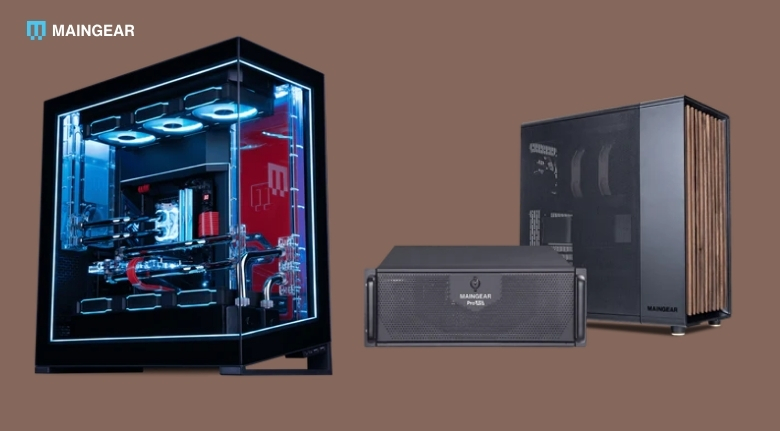
A gaming PC is more than just a way to play the latest titles. For many people, it also serves as a workstation for streaming, content creation, video editing and everyday productivity. Choosing the right system requires balancing performance, cooling, upgradeability and long-term reliability rather than simply selecting the most powerful graphics card available. MAINGEAR builds premium custom gaming desktops, gaming laptops and professional workstations with carefully selected components, extensive testing and US-based support. The company offers customizable systems such as the MG-1, Rush, North and Force desktops, alongside gaming laptops, workstations, financing options, outlet deals and seasonal promotions.
A thoughtfully configured computer can remain capable for many years. Understanding your own requirements before making a purchase helps ensure that every component contributes to the experience you actually need.
Identify Your Primary Use Before Choosing Specifications
Not every gaming PC needs the highest-end processor or graphics card. A player focused on esports titles has different hardware requirements than someone editing 4K videos, streaming gameplay or playing demanding AAA games at ultra settings. Understanding how you intend to use your computer allows you to invest where performance matters most.
With MAINGEAR, customers can configure desktops and laptops with different processors, graphics cards, storage capacities and memory options to suit a wide variety of gaming and creative workloads. Selecting components based on your actual needs often provides better long-term value than purchasing the most expensive configuration available.
Storage should also be considered carefully. Fast NVMe SSDs improve loading times, while larger capacities provide room for expanding game libraries and creative projects. Planning storage requirements in advance helps avoid unnecessary upgrades shortly after purchasing a new system.
Memory requirements vary depending on your workload as well. Gamers, streamers and creative professionals often benefit from different RAM capacities, making it worthwhile to evaluate your everyday applications before finalising your configuration.
Prioritize Cooling and Airflow
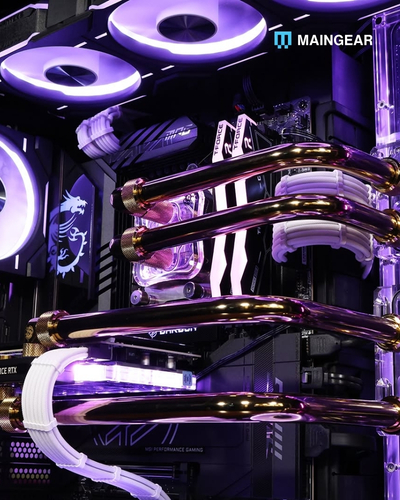
Powerful hardware generates heat, and effective cooling plays an essential role in maintaining consistent performance. A well-designed cooling system allows processors and graphics cards to operate efficiently even during extended gaming sessions or demanding creative workloads.
Using MAINGEAR, buyers can choose systems engineered with optimized airflow, carefully tested components and advanced cooling options, including liquid cooling on selected models. Proper thermal management not only supports performance but may also contribute to longer hardware lifespan.
The placement of your computer also affects cooling efficiency. Positioning the system where intake and exhaust vents remain unobstructed allows air to circulate properly and helps maintain stable temperatures during heavy workloads.
Regular cleaning is equally important. Removing dust from filters and cooling fans every few months improves airflow and helps maintain the performance your hardware was designed to deliver.
Upgrade Strategically Instead of Replacing Everything
Technology advances quickly, but that does not mean an entirely new computer is necessary every year. Upgrading specific components at the right time often provides excellent performance improvements while keeping costs under control.
MAINGEAR offers configurable systems, BYO RAM options for eligible custom builds, outlet opportunities and regularly updated hardware platforms that make it easier for customers to build systems capable of supporting future upgrades. The company also features seasonal promotions, financing options and quick-ship configurations that provide additional flexibility for buyers planning long-term investments.
Build a Comfortable and Productive Gaming Workspace
A powerful computer delivers its full potential only when it is paired with a comfortable workspace. Long gaming sessions, streaming, video editing and other demanding tasks become much more enjoyable when your desk is organised and your equipment is positioned correctly. Ergonomics play an important role in reducing fatigue while helping you stay focused.
With MAINGEAR, users can build systems that serve both gaming and professional workloads, making it easier to create a workspace that supports multiple activities. Pairing your computer with a high-quality monitor, responsive keyboard, accurate mouse and comfortable chair helps create a balanced setup that improves both performance and productivity.
Monitor placement should also receive careful attention. Positioning the display at eye level and maintaining an appropriate viewing distance helps reduce neck strain and eye fatigue during extended sessions. Proper lighting around your workspace further improves comfort while minimising glare on the screen.
Keeping cables organised also contributes to a cleaner and more efficient setup. Good cable management improves airflow around your computer, simplifies future upgrades and creates a workspace that feels more professional and enjoyable to use every day.
Maintain Your System for Reliable Performance
Even the most advanced gaming computer requires regular maintenance to continue performing at its best. Dust accumulation, outdated software and neglected storage management can gradually reduce efficiency and affect the overall user experience.
Using MAINGEAR, customers receive systems assembled and tested for reliability, but ongoing care remains essential for maintaining long-term performance. Cleaning dust filters, checking cooling fans and ensuring proper ventilation helps preserve stable temperatures during demanding gaming and creative workloads.
Software maintenance is equally important. Keeping your operating system, graphics drivers and installed applications updated provides performance improvements, security updates and better compatibility with the latest games and creative software.
Storage management also deserves regular attention. Removing unnecessary files, organising projects and ensuring sufficient free storage space allows your computer to continue operating smoothly even as your game library and work files grow over time.
Invest Wisely for Long-Term Value
Purchasing a premium gaming computer is a long-term investment, making careful planning more important than simply choosing the highest specifications available. Selecting hardware that matches your current requirements while leaving room for future upgrades often delivers better overall value.
Throughout the year, MAINGEAR offers custom desktop configurations, gaming laptops, workstation solutions, outlet systems, financing options, seasonal promotions and newly released hardware platforms. Comparing available configurations and promotional offers before placing an order helps customers choose systems that balance performance, features and budget.
It is also beneficial to think beyond gaming alone. A well-configured computer can support streaming, programming, graphic design, video editing and many other demanding applications, increasing the overall value of your investment.
Choosing quality components from the beginning often reduces the need for frequent replacements, allowing your system to remain capable and reliable for many years.
Create a Setup That Grows with Your Goals
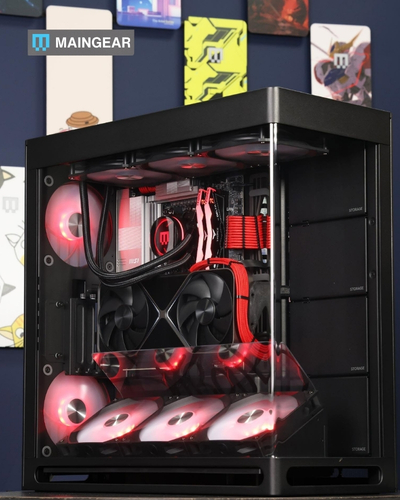
Technology should adapt to your changing needs rather than limit them. As your interests evolve from casual gaming to competitive esports, streaming, content creation or professional creative work, your computer should continue supporting new opportunities without requiring a complete replacement.
MAINGEAR designs premium gaming desktops, laptops and workstations that combine powerful hardware, thoughtful engineering and customizable configurations for a wide range of users. Whether you are building your first high-performance PC or upgrading an existing setup, selecting a system designed with reliability, cooling and future expansion in mind helps maximise your investment.
By combining smart component choices, regular maintenance, ergonomic workspace planning and thoughtful upgrade strategies, you can enjoy a computer that delivers excellent performance for gaming, creativity and productivity throughout its lifetime.
A carefully planned PC is more than a purchase—it becomes a reliable platform that supports your hobbies, work and future ambitions for years to come.
