
Digital files are now part of almost every professional routine. Documents, presentations, spreadsheets, images, contracts, videos, reports, and project materials can quickly accumulate across computers, email inboxes, messaging applications, and shared folders.
When files are poorly organized, even simple tasks can take longer than necessary. Employees may spend valuable minutes searching for the latest document, requesting files from colleagues, or trying to determine which version should be used.
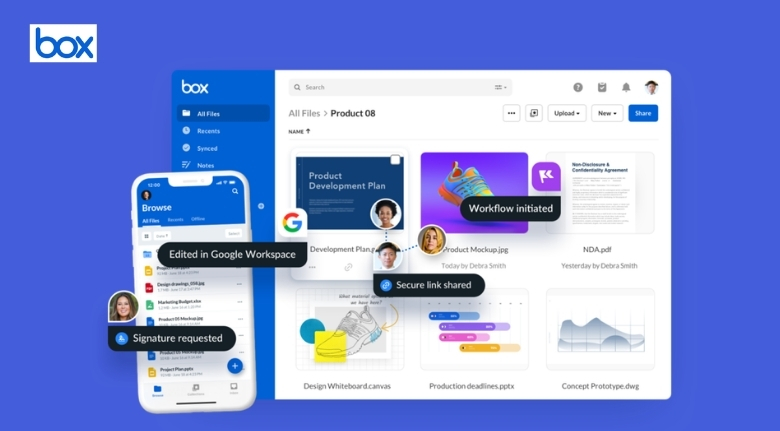
Box provides cloud content management designed to help individuals and organizations store, organize, access, share, and collaborate on digital content from different locations and devices. Its platform also includes tools for workflow automation, content security, AI-powered insights, and electronic signatures.
A smarter approach to file organization can therefore make everyday work more efficient while creating a clearer environment for collaboration.
Start With a Simple Folder Structure
The first step toward better digital organization is creating a structure that people can understand easily.
Instead of creating dozens of folders without a consistent system, start with broad categories. For example, a business might organize content into departments, projects, clients, or years.
Box allows teams to organize content in cloud-based folders while making files accessible from different devices.
The exact structure should depend on how your team works.
A marketing department might organize files by campaign, while a finance team could prefer categories based on reporting periods or business functions.
The most important rule is consistency.
If every team member follows the same structure, finding documents becomes much easier.
Give Important Files Clear Names
A good folder structure becomes much less useful when filenames are confusing.
Names such as “Final,” “Final2,” or “New Version” can create uncertainty, particularly when several people are editing the same project.
Use filenames that communicate what the document contains.
For example, include the project name, document type, date, or version when appropriate.
Box supports collaboration and content organization, making it easier for teams to work with shared documents rather than relying on scattered copies.
Clear naming conventions are particularly useful for large projects.
When employees return to a project after several weeks, they can understand the purpose of a file without opening multiple documents.
A few seconds spent creating meaningful filenames can save much more time later.
Reduce Duplicate Files
Duplicate files are one of the biggest sources of digital confusion.
When the same document exists in several locations, employees may accidentally edit an outdated version.
Cloud-based collaboration can help teams work from shared content rather than repeatedly creating separate copies.
Box is designed to support file sharing, collaboration, and co-editing, allowing teams to work together around centralized content.
Before creating another copy, ask whether the existing document can simply be updated or shared with the appropriate people.
This approach keeps information more consistent.
It also reduces the amount of storage occupied by unnecessary duplicates.
A cleaner file environment makes it easier for everyone to understand which content is current.
Make Collaboration Easier
Modern teams are not always working from the same office.
Employees may work remotely, travel between locations, or collaborate with external partners and clients.
Sending attachments back and forth through email can quickly become difficult to manage.
Box provides tools for secure content collaboration and sharing, allowing users to work with internal and external stakeholders while keeping content managed within a centralized environment.
Instead of emailing multiple versions of a presentation, a team can work from shared content.
This reduces unnecessary communication and makes it easier to keep everyone aligned.
It can also simplify collaboration with agencies, vendors, contractors, and other external partners.
The result is a workflow where people spend more time working on the project and less time managing files.
Use Metadata to Find Content Faster
Folders are useful, but large organizations may eventually have too many files for folders alone.
Metadata can provide another way to organize information.
Box supports metadata fields that can be used for tagging and labeling content. These capabilities can help teams classify files and make important information easier to locate.
For example, a company could classify documents according to department, client, project, document type, or status.
This creates additional ways to search and filter content.
Metadata can become especially valuable when dealing with large collections of documents.
Instead of remembering exactly where a file was stored, users can search based on information associated with that file.
This turns file organization into a more flexible system.
Automate Repetitive Tasks
Many business processes involve repetitive actions.
Documents may need to be reviewed, approved, signed, routed to another department, or stored according to specific rules.
Doing these steps manually can consume significant amounts of time.
Box provides workflow automation capabilities designed to help organizations automate processes involving content, including document reviews, approvals, onboarding, and other repeatable tasks.
Automation can reduce the number of manual steps employees need to complete.
For example, a document can be routed automatically to the appropriate person after being submitted.
This can help prevent tasks from being forgotten and create more predictable processes.
The goal is not to automate everything.
Instead, organizations should identify repetitive activities where automation can provide a clear benefit.
Protect Sensitive Information
Better organization should always be combined with appropriate security.
Business files can contain confidential information such as contracts, financial records, employee documents, customer information, and intellectual property.
Box provides security and compliance capabilities designed to protect sensitive content, including access controls, threat detection, classification tools, retention policies, and other governance features.
Access should be based on what each person actually needs.
Not every employee needs access to every document.
Clear permissions can help reduce unnecessary exposure while allowing teams to collaborate effectively.
Organizations should also regularly review access as employees change roles or leave the company.
Security is not a one-time task.
It should be part of the overall content management strategy.
Make Remote Work More Efficient
Remote work depends heavily on reliable access to digital information.
When employees cannot quickly locate the documents they need, productivity can suffer.
Cloud content management allows teams to access files without depending entirely on a particular office computer or local server.
Box is designed to make content available across locations and devices while supporting secure collaboration.
This can be particularly helpful for distributed teams.
Employees can access project materials while traveling, working from home, or collaborating with colleagues in another location.
The key advantage is continuity.
Work does not have to stop simply because someone is away from the office.
Improve Document Approval Processes
Approvals are common in many organizations.
Marketing materials may require manager approval, contracts may need signatures, and financial documents may need review before being finalized.
Manual approval processes can create delays.
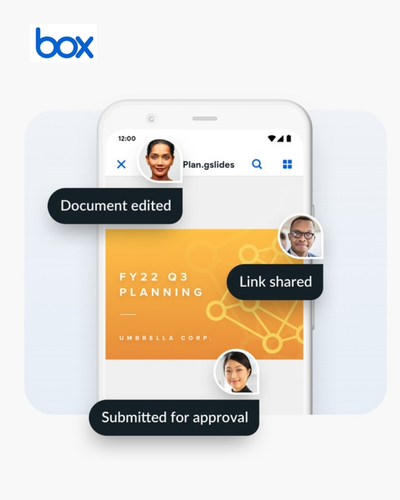
Box offers workflow capabilities for content reviews and approvals, while its integrated e-signature functionality can support digital signing processes directly within the content environment.
This can reduce the need to move documents between several disconnected tools.
When files, approvals, and signatures are connected, teams can follow a clearer process from beginning to completion.
This is especially useful for businesses that handle large volumes of contracts and other formal documents.
Use AI to Work With Content
The growing volume of business content makes intelligent search and analysis increasingly valuable.
Employees may need to understand information contained in long documents without reading every page manually.
Box’s current platform includes AI capabilities designed to provide insights from enterprise content, support document analysis, and automate certain content-related tasks.
AI can help users extract useful information from large collections of unstructured content.
For example, teams may use AI-supported tools to summarize documents, identify important information, or support content-based workflows.
However, AI should complement human judgment rather than replace it entirely.
Important business decisions still require appropriate review and context.
Connect the Tools You Already Use
Businesses rarely rely on a single application.
Teams may use communication platforms, CRM systems, productivity software, project management tools, and specialized business applications.
Box supports integrations with more than 1,500 applications, allowing organizations to connect content with other parts of their technology environment.
Integrations can reduce the need to repeatedly download and upload files between systems.
They can also make information more accessible within familiar workflows.
Before adding another application to your technology stack, consider whether it can work effectively with the tools you already use.
A connected environment can be easier to manage than a collection of isolated systems.
Create Rules for Document Retention
Not every document needs to be stored forever.
Old drafts, outdated materials, and unnecessary records can create clutter and make important information harder to find.
Organizations should establish clear rules for how long different types of content should be retained.
Box provides governance and retention capabilities that can help organizations manage document lifecycles and information policies.
Retention policies should reflect business requirements and applicable regulations.
Regularly reviewing stored content can also help reduce unnecessary clutter.
A well-managed content environment should make it easy to identify what needs to be preserved and what can eventually be removed according to approved policies.
Keep Teams Consistent
Even the best content management system will not solve every problem if employees use it differently.
Teams should establish simple guidelines for naming, storing, sharing, and managing documents.
New employees should learn these practices as part of their onboarding.
Box supports centralized content management and collaboration, but organizational habits remain important to long-term success.
Create short guidelines that employees can easily understand.
Explain where different types of files belong, who should have access, and how documents should be named.
The goal should be simplicity.
If the rules are unnecessarily complicated, employees may stop following them.

Build a More Efficient Digital Workplace
Better file organization is not simply about making folders look neat.
It can influence how quickly employees find information, collaborate with colleagues, complete approvals, protect sensitive content, and finish everyday tasks.
Box combines cloud content management with collaboration, workflow automation, security, AI capabilities, integrations, and e-signature functionality to help organizations manage content throughout its lifecycle.
The best results usually begin with simple improvements.
Create clear folder structures, use meaningful filenames, reduce duplicates, review permissions, and establish consistent team practices.
Then consider where automation, metadata, integrations, and AI can provide additional value.
When digital content is organized around the way people actually work, employees spend less time searching and managing files.
They can focus more attention on the work itself.
A smarter content strategy therefore does more than organize documents — it creates a smoother, more connected, and more productive digital workplace.
