
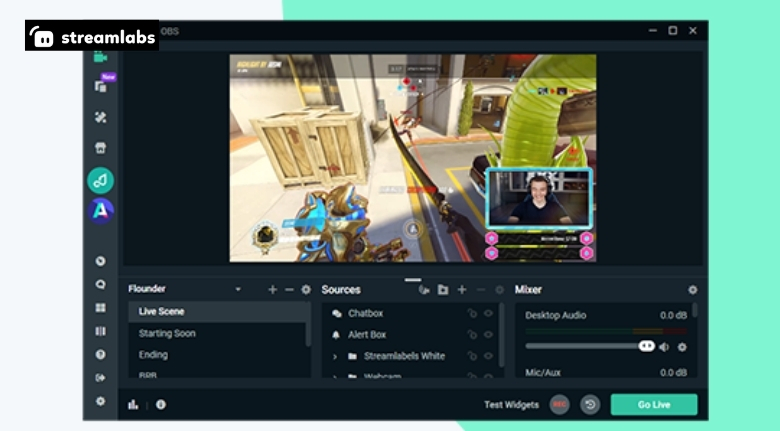
Starting a livestream can feel overwhelming. There are cameras to consider, microphones to configure, scenes to create and platforms to connect. Add alerts, overlays, donations and audience interaction, and even a simple gaming stream can quickly become a complicated project.
Streamlabs brings many of these streaming tools together in one ecosystem. Its platform includes software and services for livestreaming, alerts, overlays, widgets, tipping, merch and audience engagement.
The good news is that you do not need to build a highly complicated studio on your first day. A better strategy is to create a reliable foundation and gradually improve your setup as your channel develops.
Start With Your Main Streaming Goal
Before buying equipment or changing software settings, decide what you want your stream to accomplish.
Gaming channels may focus on entertainment and community interaction, while educational creators might use livestreams for tutorials, discussions or demonstrations. Artists, musicians and commentators can also use streaming to connect directly with their audiences.
Streamlabs supports different types of content creation, so your setup should be designed around your particular format.
Think about your typical stream.
Will you be sitting at a desk? Moving around? Sharing your screen? Showing products? Talking directly to viewers?
Once you know the format, it becomes much easier to decide which equipment and features actually matter.
Prioritise Clear Audio
Viewers can tolerate average video quality more easily than poor audio.
A microphone that produces clear, understandable speech should therefore be one of the first upgrades for a new streamer.
Streamlabs provides tools for managing audio sources and stream layouts, allowing creators to build a more controlled broadcasting environment.
Before going live, test your microphone at the same distance and volume you normally use.
Listen for background noise, keyboard sounds, echo and distortion.
Small adjustments to microphone placement can make a noticeable difference.
You do not necessarily need the most expensive microphone available. Consistent, clear audio is more important than having premium equipment that is poorly configured.
Build Simple Scenes
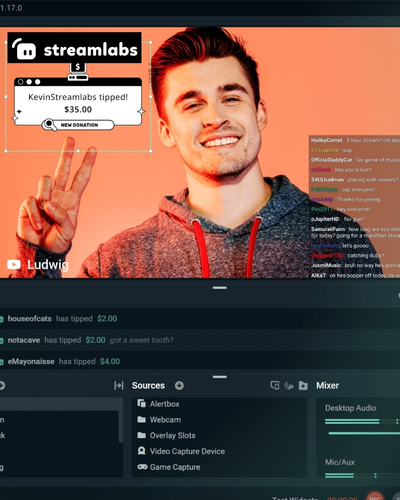
Scenes determine what viewers see during your broadcast.
A gaming stream might need a gameplay scene, starting screen, intermission screen and ending screen. A talk-based stream may need only a camera and background layout.
Streamlabs provides tools for creating and managing scenes, sources and overlays.
Start with a small number of scenes.
Too many layouts can make streaming more difficult to manage, particularly when you are still learning.
Each scene should have a clear purpose.
Once you become comfortable switching between them, you can add more advanced layouts.
The objective is to make your broadcast feel organised without creating unnecessary complexity behind the scenes.
Make Your Webcam Look Better
You do not need a professional studio to create a good-looking camera setup.
Lighting is often more important than simply buying a more expensive camera.
Place your main light in front of you rather than directly behind you.
Avoid having a bright window behind your head because it can make your face appear dark.
Keep your background reasonably clean.
Streamlabs offers overlays and visual tools that can complement your camera feed and help establish a consistent appearance.
A simple, well-lit frame can look more professional than an expensive camera placed in poor lighting.
Use Overlays Carefully
Overlays can give a stream its visual identity.
They can display information such as recent followers, subscribers, donations, social handles or other alerts.
Streamlabs provides a range of overlay and widget options designed for livestreaming.
However, more graphics do not automatically make a stream better.
If the screen is filled with animations and text, viewers may struggle to focus on the actual content.
Choose a consistent visual style and keep important information easy to read.
Your overlays should support the stream rather than compete with it.
Add Alerts for Audience Interaction
Alerts can make viewers feel recognised when they interact with your channel.
Follower, subscriber, donation and other notifications can provide immediate feedback during a livestream.
Streamlabs offers alert tools that allow creators to customise how these interactions appear and sound.
Keep alerts short and appropriate for your content.
An alert should acknowledge the viewer without interrupting an important conversation or gameplay moment.
You can also create different sounds and animations that fit your channel’s personality.
Over time, these small details can become part of your channel identity.
Make Your Stream Recognisable
Branding helps viewers remember a channel.
Choose a consistent profile image, typography, colours and overall visual direction.
Streamlabs provides customisation options for overlays, alerts and other streaming elements.
Your branding does not need to be complicated.
A simple visual identity repeated across your starting screen, overlays and social profiles can make the channel feel more established.
Consistency is more important than complexity.
When viewers encounter the same visual style across your content, it becomes easier to recognise your channel.
Plan Your Stream Before Going Live
A little preparation can prevent many problems.
Create a basic checklist before every broadcast.
Check your microphone, camera, internet connection, game or application, scenes and alerts.
Streamlabs provides tools that can help creators organise their livestreaming workflow, but a personal checklist remains useful.
You can also prepare talking points.
If you are streaming a game, decide what you want to discuss between matches.
If you are creating educational content, prepare a simple structure for the session.
Planning does not mean scripting every sentence.
It simply gives you something to fall back on when the conversation becomes quiet.
Test Everything Privately
One of the easiest ways to avoid embarrassing technical problems is to test before going public.
Run a private or unlisted test where possible.
Check whether your microphone is too loud, your camera is positioned correctly and your game audio can be heard.
Streamlabs offers tools for managing the technical elements of livestreaming, but every computer and setup behaves differently.
A test stream gives you an opportunity to identify problems before viewers do.
It also helps you become more comfortable with your scenes and controls.
The more familiar you are with your setup, the easier it becomes to concentrate on your audience.
Keep Your Internet Connection Stable
Streaming depends heavily on a reliable internet connection.
Even excellent equipment cannot compensate for an unstable upload connection.
Before streaming regularly, test your connection at the time you usually plan to broadcast.
If several people in your household are using the connection simultaneously, performance can change.
Where possible, a wired connection can provide more stability than relying on wireless networking.
Streamlabs provides streaming software and related tools, but internet performance ultimately depends on your network environment and service provider.
If you experience dropped frames or interruptions, investigate the connection before immediately replacing your equipment.
The problem may not be your computer at all.
Balance Stream Quality With Hardware
Higher-quality streaming settings require more from your computer.
Resolution, frame rate, encoding and game performance all interact.
If your game runs perfectly when you are playing privately but struggles once you begin streaming, your computer may be handling too much at once.
Streamlabs provides streaming software designed to help creators broadcast content, but your settings should match your hardware capabilities.
Start conservatively.
Once your stream is stable, gradually experiment with higher quality.
A smooth, reliable broadcast is usually better than an extremely high-resolution stream that constantly freezes.
Create a Comfortable Streaming Environment
Streaming often involves sitting in the same position for extended periods.
Comfort should therefore be part of your setup.
Adjust your chair and monitor so that you can maintain a natural posture.
Keep your microphone and controls within easy reach.
Razer-style gaming accessories can be useful, but you do not need specialised equipment for every part of your desk.
A comfortable chair, sensible monitor position and suitable lighting can make long sessions easier.
Your physical environment affects your energy and presentation.
When you are comfortable, it becomes easier to stay engaged with viewers.
Use Widgets That Add Value
Widgets can provide useful information and interaction.
Streamlabs offers widgets that can support features such as alerts, chat displays and other audience-focused functions.
Before adding a widget, ask whether viewers actually benefit from it.
If a widget adds unnecessary movement or takes up valuable screen space, it may be better left out.
Keep your most important content visible.
A clean interface makes it easier for viewers to understand what is happening.
As your channel grows, you can experiment with more advanced widgets based on audience feedback.
Encourage Chat Participation
A successful livestream is not simply a video broadcast.
It is a conversation.
Ask viewers questions and respond when they contribute.
If someone new arrives, welcome them when possible.
Streamlabs includes tools designed to support audience interaction and engagement.
However, technology alone cannot create a community.
Your personality and consistency matter much more.
Think about recurring questions or topics that encourage viewers to participate.
The goal is to create an environment where people feel that their presence matters.
Create a Consistent Schedule
Viewers are more likely to return when they know when you usually stream.
Choose a schedule that fits your real life.
It is better to stream consistently twice a week than to announce five streams and repeatedly cancel them.
Streamlabs can become part of your regular broadcasting workflow, helping you prepare and manage your streams.
Choose times when you have enough energy to engage with your audience.
If your schedule changes frequently, communicate those changes clearly through your social channels.
Consistency builds familiarity over time.
Repurpose Your Livestreams
A livestream does not have to disappear once the broadcast ends.
Interesting moments can become short videos, clips, social posts or longer edited content.
Streamlabs provides tools and features that can support content creators across their publishing workflow.
After each stream, identify moments that generated strong reactions.
These might include funny interactions, useful explanations, impressive gameplay or unexpected events.
Turning long broadcasts into shorter pieces allows your content to reach people who do not watch full livestreams.
It also gives you more opportunities to promote future broadcasts.
Monitor Your Performance
Once you have streamed several times, start reviewing what works.
Look at viewer numbers, average watch time, chat activity and which sections received the most interaction.
Streamlabs provides creator-focused tools that can help with aspects of livestream management and audience engagement.
Do not become obsessed with individual numbers.
One unusually successful or unsuccessful stream does not necessarily represent your entire channel.
Look for patterns over several broadcasts.
If viewers consistently leave during a particular segment, investigate why.
If certain topics generate more conversation, consider creating more content around them.
Data is most useful when it helps you make practical decisions.
Improve One Thing at a Time
Trying to upgrade everything simultaneously can become expensive and confusing.
Instead, identify the biggest weakness in your current setup.
If viewers struggle to hear you, improve your audio.
If the camera looks dark, improve lighting.
If your stream frequently drops frames, investigate performance settings.
If the broadcast looks cluttered, simplify your scenes.
Streamlabs provides many tools, but you do not need to use every feature immediately.
Incremental improvements are easier to evaluate.
They also help you understand which changes genuinely improve the viewer experience.
Be Careful With Copyrighted Content
Streamers need to think about the rights associated with music, video clips and other media.
Using copyrighted content without appropriate permission can create problems for your channel.
Avoid playing music simply because it is available on another platform.
Use content you have permission to broadcast or content that is specifically licensed for streaming.
Streamlabs can help manage your broadcast, but it does not remove your responsibility to follow copyright rules.
When in doubt, check the licensing terms of the content you want to use.
Protecting your channel is more important than adding a song or clip that could create a copyright issue.
Keep Your Community Safe
A growing channel may eventually attract unwanted messages or disruptive behaviour.
Moderation tools can help you maintain a welcoming environment.
Streamlabs provides tools that support chat and audience management.
Set clear community rules and apply them consistently.
Do not allow harassment or inappropriate behaviour to become normal simply because you want to increase engagement.
A positive community is more valuable than a large audience filled with conflict.
Your viewers should feel comfortable participating without worrying about abusive interactions.
Take Advantage of Promotions Strategically
Streaming equipment and creator services can become expensive over time.
If you plan to upgrade your setup, watch for seasonal promotions and special offers from relevant gaming and creator brands.
Streamlabs also offers different plans and features, so compare what you actually need before paying for additional services.
Do not subscribe to every available feature immediately.
Start with the tools that solve a current problem.
As your channel grows, you can decide whether premium features provide enough value to justify the cost.
Smart spending allows you to invest more sustainably in your content.
Create a Setup That Can Grow
Your first streaming setup does not need to be your final one.
Start with reliable basics and create a workflow you can operate comfortably.
Streamlabs provides an ecosystem of tools that can support creators as their channels develop, from livestream software and alerts to overlays, widgets and audience engagement features.
As your audience grows, you can gradually introduce more advanced equipment and customisation.
Upgrade based on actual needs rather than trends.
The goal is to create a system that becomes easier to use over time.
When your technical setup becomes reliable, you can spend more energy on what matters most: your content and your community.
Focus on the Viewer Experience
A professional stream is not defined by how expensive the equipment looks.
It is defined by how enjoyable the broadcast is to watch.
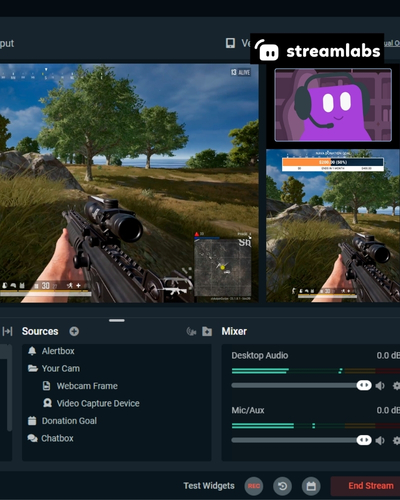
Clear audio, stable video, useful overlays, responsive interaction and consistent content all contribute to that experience.
Streamlabs can provide many of the tools needed to build and manage these elements, but the creator remains the most important part of the stream.
Be authentic.
Talk to your audience.
Learn from your mistakes.
Improve gradually.
Most importantly, create content that you genuinely enjoy making.
When technology supports your creativity instead of getting in its way, streaming becomes much easier to sustain.
Build Your Streaming Routine
Creating a successful streaming setup is an ongoing process.
You do not need to buy every piece of equipment or activate every available feature on the first day.
Start with your goals, build clear scenes, prioritise audio, test your internet connection and create a comfortable environment.
Use Streamlabs tools where they genuinely improve your workflow, whether that means alerts, overlays, widgets, tipping features or other creator-focused services.
Then listen to your viewers and improve one area at a time.
A strong livestream is ultimately a combination of reliable technology, engaging content and a community that wants to return.
Build that foundation patiently, and your setup can grow alongside your channel without becoming unnecessarily complicated.
