
Managing online accounts has become a regular part of everyday life. From shopping and banking to work platforms, social media and entertainment services, people often have dozens of accounts that require passwords. Remembering all of them while keeping each password unique can quickly become difficult.
LastPass is a password management solution designed to help users organise and protect login credentials in one place. Instead of relying on the same password across multiple services or keeping passwords in unsecured notes, a password manager can provide a more structured approach to digital security.
However, good online security is not only about using a password manager. It also involves understanding strong password practices, enabling additional security measures and being careful about where and how account information is shared.
Stop Reusing the Same Password
Using one password across multiple websites may seem convenient, but it can create a serious security weakness.
If one website experiences a data breach and your password becomes exposed, attackers may attempt to use the same credentials on other services.
LastPass can help users generate and manage unique passwords for different accounts, making it easier to avoid repeating the same credentials.
Instead of trying to memorise dozens of complex passwords, users can rely on a password management system to organise them.
A simple rule is useful: important accounts should never depend on the same password.
Create Strong and Unique Credentials
A strong password should be difficult for others to guess.
Avoid obvious choices such as birthdays, names, phone numbers or simple combinations. Passwords that are long and unique generally provide a stronger starting point.
LastPass includes password generation capabilities that can help users create complex credentials rather than relying on predictable combinations.
When creating a new account, consider generating a unique password instead of modifying an old one.
This approach reduces the risk that a compromised password from one service can affect another account.
Use a Password Manager for Convenience
One of the biggest advantages of a password manager is convenience.
Without one, people often choose between memorising passwords, writing them down or using the same password repeatedly.
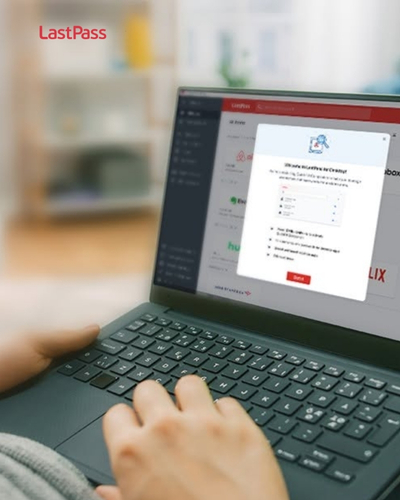
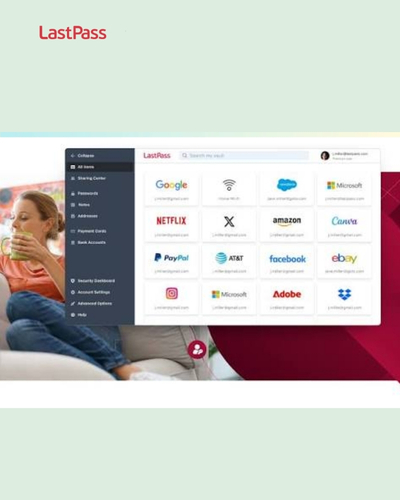
LastPass provides a centralised vault where users can manage stored credentials and other information.
This can make logging into different services more convenient while reducing the need to remember every individual password.
The important thing is to protect the password manager account itself carefully because it becomes an important part of your overall security setup.
Protect Your Master Password
A password manager can store many credentials, but access to the vault depends on protecting the main account.
Your master password should therefore be strong, unique and carefully protected.
Do not use a master password that you already use on another website.
Avoid sharing it with other people.
LastPass provides security features intended to help protect accounts, but users should still follow good security practices when creating and managing their credentials.
A strong password management strategy begins with protecting the key that provides access to your stored information.
Enable Multi-Factor Authentication
Passwords alone do not always provide enough protection.
Multi-factor authentication adds another layer by requiring an additional verification method when signing in.
LastPass supports multifactor authentication options that can strengthen account security.
Where available, enable multi-factor authentication for your password manager and other important accounts.
This means that even if someone obtains your password, an additional security barrier may still stand between them and your account.
For sensitive services such as email, financial platforms and work accounts, extra protection can be particularly valuable.
Audit Your Existing Passwords
Improving security does not require changing every password randomly.
Start by reviewing your existing credentials.
Look for reused passwords, weak combinations and old credentials that you have not updated for a long time.
LastPass provides features that can help users identify password security issues and improve their stored credentials.
Prioritise important accounts first.
Email accounts are particularly important because they are often used to reset passwords for other services.
Once your most important accounts are secure, gradually work through less critical services.
Secure Your Email Account
Your primary email account deserves special attention.
If someone gains access to your email, they may be able to reset passwords for other online accounts.
Use a unique and strong password for your email.
Enable multi-factor authentication whenever the provider supports it.
You can also store the credentials securely using LastPass rather than relying on an easily remembered password.
Think of your email account as one of the central keys to your digital identity.
Protecting it can help reduce the impact of attacks against other services.
Be Careful With Phishing Attempts
Even the strongest password cannot protect you if you willingly provide it to an attacker.
Phishing messages can imitate banks, shopping websites, employers and other trusted organisations.
They may ask you to click a link, confirm account details or enter your password.
Before entering credentials, check the website address carefully and consider whether the message was expected.
LastPass can help with password management, but users still need to recognise suspicious websites and messages.
Never provide passwords simply because an email or message creates a sense of urgency.
Keep Your Devices Secure
Password security also depends on the devices you use.
Use screen locks on smartphones, tablets and computers.
Keep operating systems and applications updated.
Install security updates when they become available.
If you use LastPass on multiple devices, make sure those devices are protected with appropriate authentication.
A strong password stored on an unsecured device can still create risk.
Think about the entire security chain rather than focusing only on passwords.
Avoid Saving Passwords in Unprotected Notes
Some people store passwords in phone notes, spreadsheets or text files because it feels convenient.
The problem is that these formats may not provide the same protections as a dedicated password manager.
LastPass provides a centralised environment for storing credentials and related information.
Moving passwords into an organised password management system can make them easier to manage while reducing reliance on scattered documents.
If you currently keep passwords in unsecured locations, consider transitioning gradually.
Start with your most sensitive accounts and update their credentials as you move them.
Organise Your Digital Accounts
Over time, online accounts can become difficult to manage.
You may have old shopping accounts, subscriptions, work services, social platforms and websites you rarely use.
LastPass allows users to organise stored login information within a password vault.
Use categories or folders where available to make important accounts easier to find.
You can also review old accounts and close services you no longer need.
Reducing the number of active accounts can simplify your digital footprint.
Use Secure Sharing Carefully
Sometimes you need to share access to an account with another person.
For example, families may share certain subscriptions, while businesses may need to provide access to team accounts.
LastPass offers password-sharing capabilities designed to make credential sharing more controlled than sending passwords through ordinary messages.
However, sharing should still be limited to trusted people.
Only provide access when it is genuinely necessary.
When someone’s access is no longer required, remove it promptly.
Protect Business Accounts
Businesses have additional password management challenges.
Employees may need access to email, project management systems, customer platforms, cloud services and internal applications.
Weak password practices can create risks for the entire organisation.
LastPass offers business-focused password management solutions intended to help organisations manage credentials and security practices.
Companies should establish clear policies for account access.
Employees should understand how passwords should be created, stored and shared.
Access should also be removed when an employee leaves the organisation or changes responsibilities.
Create Better Employee Habits
Technology alone cannot solve every security problem.
Employees need practical guidance.
Provide training on password reuse, phishing, suspicious links and account security.
Encourage employees to use strong and unique passwords rather than storing them in unsecured documents.
A password manager such as LastPass can support these habits by providing a centralised way to manage credentials.
Security training should be simple enough for employees to follow in their everyday work.
The goal is to make secure behaviour feel normal rather than complicated.
Review Access Regularly
People often keep access to accounts long after they stop using them.
Businesses may have former employees with old permissions, while individuals may have forgotten accounts that remain active.
Regular access reviews can reduce unnecessary exposure.
LastPass business tools can help organisations manage and monitor aspects of employee credential access.
Individuals can also review their personal accounts periodically.
Ask whether each account is still necessary and whether its password remains secure.
Deleting unused accounts can be an effective part of digital housekeeping.
Update Important Passwords Strategically
Changing every password frequently without a reason can become frustrating.
Instead, prioritise passwords that may have been exposed, reused or considered weak.
If a service announces a security incident, update your credentials promptly.
LastPass can help users generate replacement passwords and store them securely.
Pay particular attention to email, financial, business and cloud-storage accounts.
A targeted approach can make security maintenance more manageable.
Use Passwordless Options When Appropriate
Technology is gradually moving beyond traditional passwords.
Some services support passkeys and other authentication methods that can reduce dependence on passwords.
Where supported, consider whether these options are suitable for your important accounts.
LastPass has expanded beyond traditional password storage and supports modern authentication approaches in its product ecosystem.
However, the availability of specific features can vary by service and account type.
The best authentication method is one that provides strong security while remaining practical for your everyday use.
Be Careful on Shared Computers
Shared computers can create additional risks.
Avoid saving sensitive credentials on public or shared devices unless you fully understand the security environment.
Always sign out when you finish using a shared computer.
If you use LastPass on a device that does not belong to you, take extra care to avoid leaving your account accessible.
For sensitive activities such as financial transactions, using a trusted personal device is generally preferable.
Secure Your Browser
Browsers often interact directly with password managers.
Keep your browser updated and review installed extensions periodically.
Only use legitimate extensions and applications.
LastPass provides browser-based tools that can help users access stored credentials and autofill information.
If you notice unexpected browser behaviour, investigate it before entering sensitive information.
A clean and updated browser environment can complement good password management.
Think About Family Digital Security
Families often share devices and online services.
Parents may manage accounts for children, while household members may share streaming, shopping or other subscriptions.
Establish simple rules for password sharing.
Avoid sending important passwords through ordinary text messages.
LastPass can provide a more organised way to manage and share selected credentials where appropriate.
Children should also learn basic security habits, including not sharing passwords with strangers and recognising suspicious messages.
Digital security is increasingly becoming a household responsibility.
Prepare for Account Recovery
Account recovery is often overlooked until someone loses access.
Make sure you understand the recovery options for important services.
Keep recovery information accurate and secure.
For your LastPass account, understand the available account recovery and security procedures before you need them.
Do not wait until an emergency to discover that your recovery information is outdated.
A few minutes spent reviewing recovery options can prevent significant frustration later.
Watch for Suspicious Login Activity
Some services provide alerts when a new device or unusual location accesses your account.
Pay attention to these notifications.
If you receive an unexpected login alert, investigate immediately.
Change the affected password and review account activity if necessary.
LastPass also provides security-related tools and alerts designed to help users monitor credential risks.
The faster you respond to suspicious activity, the more likely you are to limit potential damage.
Keep Your Password Vault Organised
A password manager becomes more useful when the stored information remains organised.
Remove duplicate entries.
Update old passwords.
Delete credentials for services you no longer use.
LastPass can store login information and other secure information in a central vault, making regular maintenance easier.
Set aside time every few months for a digital security review.
Think of it as cleaning a physical filing cabinet.
An organised vault makes important information easier to locate when you need it.
Consider Security Before Convenience
Convenience is one reason people reuse passwords.
However, the easiest option is not always the safest.
A password manager can help bridge the gap between security and convenience.
With LastPass, users can store and generate credentials without needing to remember every individual password.
The goal is to create a system where secure behaviour becomes easier.
When strong security requires too much effort, people often return to shortcuts.
Good tools should make the safer choice practical.
Take Advantage of Available Features
Password managers can offer more than basic password storage.
Depending on the plan and product version, LastPass may provide features related to password generation, secure notes, sharing, security monitoring and multifactor authentication.
Explore the features available to your account.
However, do not activate tools simply because they exist.
Focus on functions that solve real problems in your digital routine.
A simple, well-maintained security system is often better than a complicated setup that you rarely use.
Watch for Promotions and Plan Options
For users considering a password management service, pricing and available features can vary by plan.
LastPass offers different options for individual and business users, with features depending on the selected subscription.
If you are considering a paid plan, review the current pricing and available benefits before subscribing.
Promotional offers can sometimes reduce the initial cost, but always consider the regular price as well.
Choose a plan based on the number of users, devices and security features you actually need.
Make Digital Security a Routine
Security should not be something you think about only after an account is compromised.
Create a simple routine.
Review important passwords periodically, update compromised credentials, check account alerts and remove unused accounts.
LastPass can support this routine by keeping credentials organised and providing tools for password security.
The more consistent your habits become, the less complicated digital security feels.
Small actions performed regularly can provide meaningful protection over time.
Build a Safer Digital Environment
Online security involves many interconnected decisions.
Strong passwords, multi-factor authentication, secure devices, careful browsing and awareness of phishing all contribute to a stronger digital environment.
LastPass can serve as one part of that strategy by helping users manage credentials more efficiently.
The key is to avoid relying on a single security measure.
Use multiple layers.
Protect your devices, secure important accounts and stay alert when interacting with unfamiliar messages or websites.
Final Thoughts
Managing passwords does not need to be a daily struggle.
A structured password management system can make it easier to use unique credentials, organise accounts and strengthen everyday security practices.
LastPass provides tools designed to help individuals and businesses manage passwords and other sensitive information more conveniently.
Start with the basics: stop reusing passwords, create strong credentials, protect your master password and enable multi-factor authentication.
Then gradually review your existing accounts, remove unnecessary access and improve your recovery options.
Digital security is an ongoing process rather than a one-time task. By combining good habits with appropriate security tools, you can make your online accounts more organised, more convenient to manage and better protected against common threats.
