
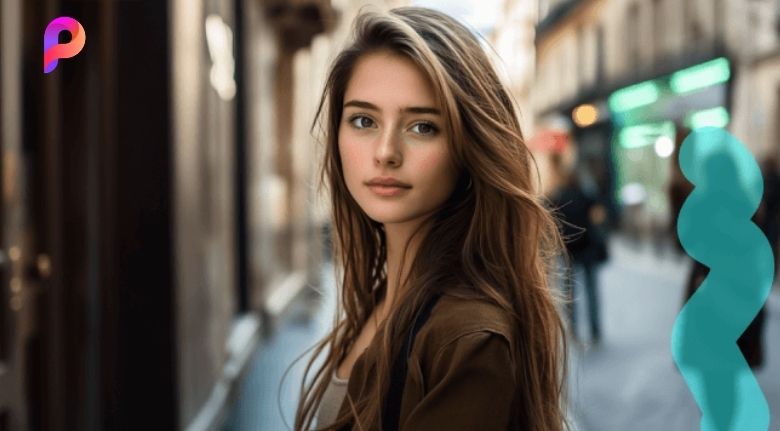
Why Image Quality Matters More Than Ever
A good photograph can capture attention instantly, but even a meaningful moment can lose its impact when the image is blurry, pixelated, dark, or poorly framed. With people sharing photographs across social media, websites, online stores, presentations, and digital campaigns, image quality has become an important part of communication.
Not everyone has access to professional cameras or advanced editing software. Many photos are taken quickly with smartphones, saved from social media, or downloaded in smaller resolutions. When these images need to be reused for a larger screen, printed material, or professional project, their limitations can become obvious.
Picwand addresses this problem with a collection of AI-powered image and video tools designed to make editing simpler. Instead of requiring users to understand complicated editing controls, the platform can automatically analyze an image and improve elements such as sharpness, resolution, clarity, and overall appearance.
The platform also goes beyond basic enhancement. Users can work with tools for image upscaling, background removal, object removal, photo restoration, colorization, retouching, and other creative edits. This makes it useful for casual photographers as well as creators and businesses.
Turn Low-Resolution Photos Into Sharper Images
One of the most common problems with digital photography is low resolution. An image may look acceptable on a smartphone but become noticeably unclear when enlarged. This can happen with old photographs, compressed social media images, screenshots, or pictures captured with older devices.
Picwand’s AI Image Upscaler is designed to increase image resolution while improving clarity and preserving important visual details. Users can upscale images by different levels, including 2×, 4×, 6×, and 8×, depending on the tool and selected workflow. The platform also supports improving low-resolution images toward 4K quality.
This can be particularly useful for people who need larger images without immediately having to retake them. For example, an online seller may have an older product photograph that needs to be used in a larger promotional banner. A content creator may have a small image that needs to appear clearly in a video thumbnail.
AI upscaling does not simply stretch an image. Modern enhancement technology analyzes patterns, edges, and existing visual information to produce a more detailed-looking result. While the original quality still matters, intelligent enhancement can make many imperfect images significantly more usable.
Restore Old Photos and Preserve Special Memories
Printed photographs and older digital images often carry emotional value, but time can affect their quality. Scratches, fading, discoloration, low resolution, and poor contrast can make old memories difficult to view clearly.
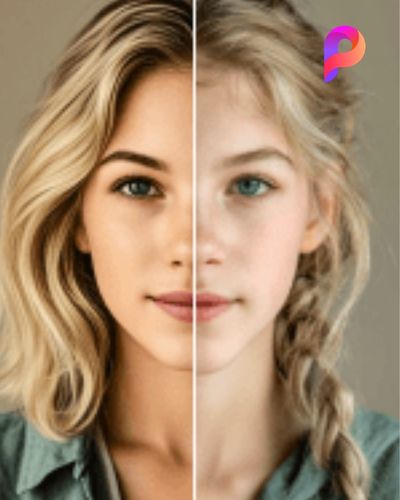
Picwand includes an AI Old Photo Restoration feature designed to improve aged photographs. The technology can help repair visual imperfections, restore faded areas, improve clarity, and bring more definition to older images. It can also help with black-and-white photographs through colorization tools.
This can be useful for families who want to digitize old albums. Instead of leaving photographs inside a box where they may continue to deteriorate, users can scan or photograph them and then work on improving the digital copies.
The same concept can be valuable for creative projects. Historical images, vintage photographs, family archives, and old documents can sometimes become more useful when their visual quality is improved. A restored image can then be shared digitally, included in a presentation, or printed again.
The goal is not to replace the original character of an old photograph. Rather, enhancement can help make existing details easier to see while preserving the feeling associated with the original memory.
Create Cleaner Images for Social Media and Business
Visual content plays a major role in digital marketing. A social media post, product listing, advertisement, or professional profile can look much stronger when the image is clean, sharp, and properly presented.
For social media creators, Picwand can help improve photographs before publication. Its AI photo enhancement features are designed to increase clarity and improve details, while retouching tools can address common portrait imperfections. The platform also provides tools for removing unwanted objects and changing backgrounds.
Businesses can benefit from these features as well. An online store, for example, may need product photographs with clean backgrounds. Instead of manually selecting every part of an object, an AI background remover can identify the main subject and separate it from the surrounding environment.
The background-removal tool offers automatic subject detection as well as manual editing options for situations where more control is required. Users can remove a background and replace it with another design, making the tool useful for ecommerce photographs, professional portraits, promotional graphics, and creative content.
This can reduce the amount of time spent preparing images. Rather than opening several complicated applications for different tasks, users can handle multiple parts of their visual workflow through one collection of AI-powered tools.
Improve Portraits Without Making Them Look Artificial
Portrait photography presents a different challenge. A photograph may have excellent composition but still contain small distractions such as blemishes, uneven skin tone, wrinkles, or dull lighting.
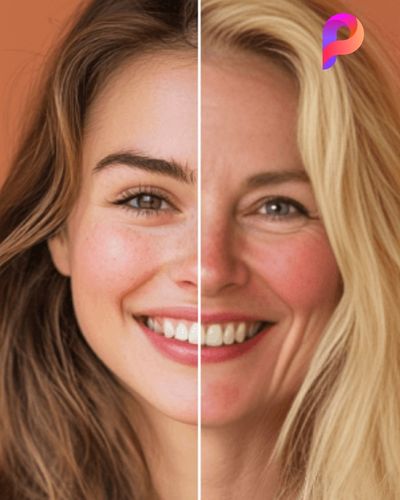
Picwand’s AI Photo Retouching tools are designed to make these corrections quickly. Features include blemish removal, wrinkle reduction, skin smoothing, teeth whitening, and color correction. The platform emphasizes maintaining a natural appearance instead of producing an overly processed result.
This can be useful for professional profile photographs, social media posts, creator content, family portraits, and casual selfies. The main advantage is convenience. Instead of manually selecting individual areas of the face and adjusting them one by one, AI can identify common imperfections automatically.
However, good editing is usually about balance. The strongest portrait edits are often the ones that remain subtle. Removing every natural detail can make a photograph look artificial, while carefully improving lighting and minor imperfections can make the image appear more polished.
For creators who publish content regularly, this type of quick enhancement can also help maintain visual consistency. Photos from different days or environments can be adjusted to create a more unified appearance across a social media profile.
Build a Faster AI-Powered Creative Workflow
Perhaps the biggest advantage of modern AI editing is not a single feature but the ability to combine multiple tools into one workflow. A creator might start with a low-resolution photograph, upscale it, remove an unwanted object, change the background, adjust the portrait, and then use the finished image in a larger project.
Picwand has expanded beyond traditional image enhancement and now offers tools for AI video creation as well. Its platform includes image-to-video features, AI video enhancement, AI-generated video workflows, and creative options powered by different AI models.
This makes the platform relevant to more than photographers. Social media managers can prepare campaign visuals, online sellers can improve product content, students can create presentation materials, and creators can transform static photographs into more dynamic content.
The browser-based workflow is another practical advantage. Picwand states that its tools can be used online without requiring installation, while mobile and desktop options are also available for users who prefer working across devices.
Users can also start without committing to expensive professional software. The platform currently offers free access options, including free credits and free tools, while additional credits can be purchased when more usage is required.
For anyone working with images regularly, saving time can be just as valuable as improving quality. Automated editing reduces repetitive tasks and allows users to spend more time thinking about the creative purpose behind their content.
Ultimately, AI photo editing is most useful when it solves a real problem. A blurry photograph becomes clearer, an old memory becomes easier to preserve, a product image becomes more professional, or a social media visual becomes more engaging.
Picwand brings these different needs together in an accessible collection of AI-powered tools. Whether someone wants to restore a treasured photograph, improve a portrait, prepare ecommerce images, upscale a low-resolution file, or experiment with AI-generated visual content, the platform offers a practical starting point.
The result is a simpler approach to image creation: upload the visual, choose the appropriate AI tool, make the necessary adjustments, and create an improved version without spending hours learning complex editing techniques.
