
Technology has become an important part of everyday life. Smartphones help us communicate, work, study, navigate, shop, and relax. Wireless earbuds make travel and exercise more convenient, while smartwatches help us stay connected without constantly checking our phones. Laptops, tablets, charging stations, and power banks also support our routines at home, in the office, and while travelling.
However, using several devices can create a new problem: too many accessories and too much clutter. Loose charging cables, unprotected devices, uncomfortable watch bands, and poorly designed phone stands can make everyday technology less convenient. A thoughtfully planned setup can solve these issues while also reflecting your personal style.
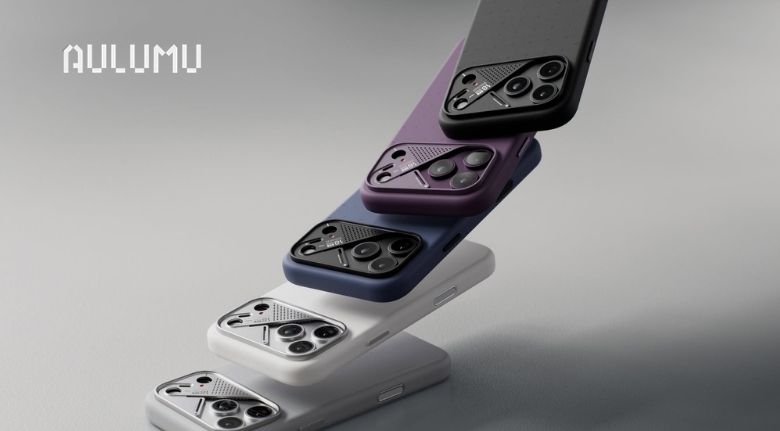
Aulumu offers modern tech accessories designed for people who want their devices to be protected, organized, and easy to use. Its product range includes phone cases, magnetic stands, wallets, charging accessories, watch bands, AirPods cases, and everyday carry products. Rather than buying random accessories, users can create a connected setup that supports their lifestyle.
Understand Your Everyday Technology Needs
The best tech setup begins with understanding how you use your devices. Before buying a new accessory, think about your daily routine and identify the areas where technology feels inconvenient.
If you use your phone mainly for communication and social media, a slim protective case and a comfortable grip may be enough. If you work from your phone, a magnetic stand can make reading messages, attending video calls, and viewing documents easier. If you travel frequently, a portable power bank and compact charging cable may be more useful than a large desk accessory.
Your other devices also deserve attention. Wireless earbuds can be difficult to carry safely without a protective case. A smartwatch may need a band that feels comfortable throughout the day. A laptop can benefit from a small stand that improves its position on a desk and makes long working sessions more comfortable.
Make a simple list of your devices and the problems you experience with them. You may notice that your phone case is difficult to grip, your cables are always tangled, or your charging routine is disorganized. Solving these problems one by one is more effective than buying accessories without a clear purpose.
Aulumu’s product categories allow users to explore different types of tech accessories according to their devices and routines. Starting with the most frequently used product makes it easier to create a practical and coordinated setup.
Select a Phone Case That Combines Protection and Style
A smartphone is usually one of the most valuable and frequently handled devices people carry. It is used at home, in public transport, at work, during travel, and outdoors. A suitable phone case should protect the device while remaining comfortable and attractive.
The first thing to check is compatibility. Always confirm your exact phone model before purchasing a case. Different models may have different camera layouts, button placements, dimensions, and charging requirements. A case designed for one model may not fit another, even when the devices look similar.
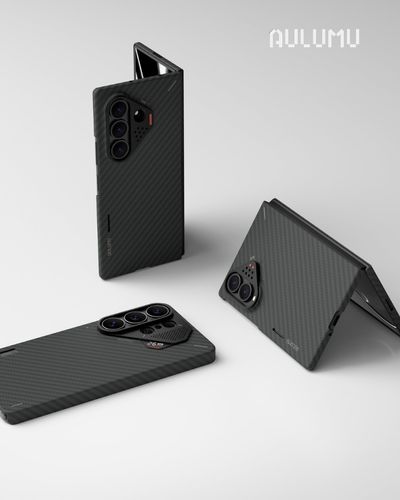
You should also consider your lifestyle. A slim case may suit someone who prefers a lightweight phone, while a rugged case may be more appropriate for outdoor activities or frequent travel. Materials such as aramid fiber, vegan leather, transparent finishes, and textured surfaces can create different experiences in terms of appearance, grip, and everyday handling.
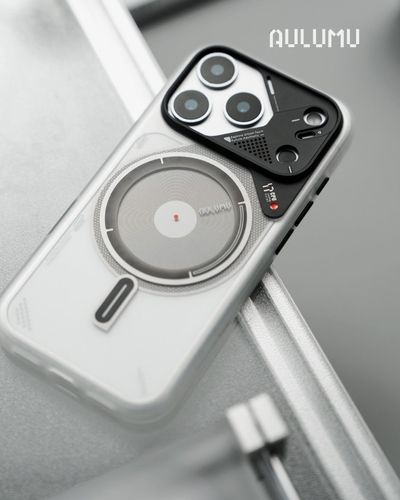
Magnetic compatibility is another useful feature. If you use magnetic stands, wallets, or charging accessories, a compatible case can make attaching and removing these products easier. It is important to check the product description carefully instead of assuming that every case supports the same magnetic accessories.
Aulumu offers several phone case styles designed around modern devices and everyday carry. Some focus on a slim technical appearance, while others provide a more distinctive or premium finish. Choose a design that matches your phone, your preferred level of protection, and the accessories you already use.
A good phone case should not only look impressive when it is new. It should remain comfortable, functional, and reliable during everyday use.
Make Your Desk More Comfortable With Magnetic Stands
A phone is often placed flat on a desk, which makes it difficult to check notifications or use the device during work. A magnetic stand can improve this experience by keeping the phone visible and accessible.
A stand can be useful for video meetings, reading messages, following a recipe, watching tutorials, or checking a calendar. It can also reduce the need to repeatedly pick up your phone, which helps maintain a more organized workspace.
When choosing a magnetic stand, consider its stability and adjustability. A rotating stand can help you switch between portrait and landscape viewing. A multi-angle design allows you to position the phone according to your seating position, lighting, or activity. A compact folding stand may be better for users who move between home, office, and travel locations.
Aulumu’s magnetic gear collection includes stands designed for hands-free viewing and flexible positioning. Products such as the G09 Infinite 360° Magnetic Stand and G05 magnetic stand are aimed at users who want more convenient phone placement without adding a large object to their desk.
Compatibility is important here as well. Your phone should have magnetic support or use a suitable compatible case or magnetic ring. The stand should also be placed on a stable surface so that the device remains secure during use.
A well-positioned phone can make a desk feel more efficient. Instead of treating a stand as a decorative item, choose one that genuinely improves the way you work, study, or relax.
Organize Charging With a Compact Multi-Device System
Charging several devices can become complicated when every product uses a different cable or adapter. A phone may need charging at night, earbuds may need power before a commute, and a smartwatch may need to be ready for the next morning. Without a clear system, it is easy to forget a device or create a mess of cables.
A charging station can give each device a designated place. This is especially useful on a bedside table, office desk, or shared workspace. A folding charging station may be convenient for travel because it can be stored easily when not in use.
Aulumu offers charging products designed around modern device use, including the M01 4-in-1 Folding Wireless Charging Station and Pad. A multi-device product can help bring several charging tasks into one organized area. The M10 power bank is another option for users who need portable power while commuting, travelling, or spending long hours away from a socket.
Before purchasing a charging accessory, check the supported devices and charging standards. Confirm whether it supports your phone, smartwatch, earbuds, or USB-C devices. You should also consider the size, weight, charging speed, and portability of the product.
A charging setup should be simple enough to use every day. Keep the main charging station in one consistent location, and store travel cables or power banks in a separate pouch. This small habit can reduce clutter and make it easier to leave home with fully charged devices.
Complete Your Setup With Small Everyday Accessories
Small accessories can make a major difference in daily comfort. A smartwatch band, AirPods case, magnetic wallet, or laptop stand may seem less important than a phone case, but each item can improve a specific part of your routine.
A smartwatch band should be selected according to comfort, material, and activity. A sporty band may be suitable for exercise, while a metal or refined finish may work better with office clothing. The closure should feel secure, and the size should match your wrist and watch model.
AirPods cases provide protection against scratches and accidental drops. A case with a lock, lanyard, or keychain can also make earbuds easier to carry. Make sure the case allows access to the charging port and does not interfere with the charging method you normally use.
A magnetic wallet can help reduce the number of items carried in your pocket. It may be useful for people who prefer to keep a few essential cards with their phone. However, check the attachment strength, card capacity, and compatibility with your phone case before purchasing.
Aulumu offers accessories such as watch bands, AirPods cases, magnetic wallets, and laptop kickstands. These products can be selected individually or combined to create a more consistent everyday carry system.
The goal is not to own the most accessories. It is to choose the ones that make your daily activities easier while matching your preferred design style.
Build a Consistent and Practical Everyday Carry Routine
Once you have selected your accessories, the next step is to create a routine that keeps everything organized. Even the best products can become inconvenient if they are stored randomly or used without a system.
At home, keep your main charging products in one place. A desk or bedside table can become your charging zone. Store cables neatly and avoid leaving unused accessories across different rooms. If you carry several devices, use a small pouch to separate cables, adapters, and power banks from other belongings.
For commuting, prepare a simple everyday carry kit. Depending on your needs, this may include your phone, wallet, earbuds, charging cable, and portable power bank. A bag with separate compartments can protect devices from scratches and make them easier to find.
For travel, check compatibility before leaving. Make sure your phone case works with your magnetic stand or charger, your power bank is charged, and your cables match your devices. Lightweight accessories are often more convenient when you need to carry everything for several hours.
It is also useful to review your setup occasionally. Remove accessories that you no longer use, replace damaged products, and update your setup when you change devices. Avoid purchasing a new accessory simply because it looks interesting. Consider whether it solves a real problem or improves an existing routine.
Aulumu can be a useful choice for users who want a modern, coordinated, and functional collection of tech accessories. By selecting products according to your devices, habits, and personal style, you can create an everyday setup that feels cleaner, more comfortable, and easier to manage.
A smart technology setup is not about owning more products. It is about choosing the right products and using them in a way that supports your everyday life.
