
Our devices have become an important part of everyday life. We use computers and smartphones for work, study, shopping, banking, entertainment, communication, and storing personal information. With so much activity happening online, digital security is no longer something that only businesses or technology experts need to think about. Simple habits, appropriate security tools, and regular device maintenance can make everyday technology use more organized and secure.
AVG provides a range of cybersecurity, privacy, and performance products designed for computers and mobile devices. Its offerings include free antivirus protection as well as products such as Internet Security, Secure VPN, TuneUp, AntiTrack, BreachGuard, and Secure Browser. Building a digital routine around these different areas can help users think about security more broadly instead of focusing on viruses alone.
Start With Basic Antivirus Protection
One of the simplest ways to improve digital security is to have appropriate antivirus protection installed and kept up to date. Malware can take different forms, including viruses, spyware, and other unwanted software, so having a security solution that monitors potential threats can be useful.
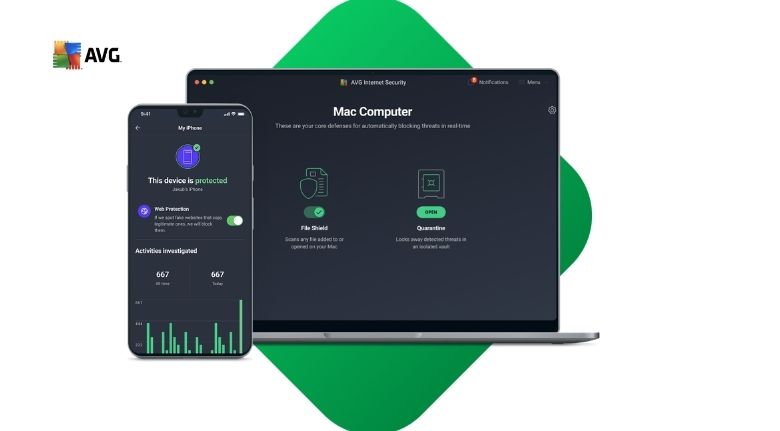
AVG Antivirus FREE is designed to provide essential protection against viruses, spyware, and other malware. According to AVG, its free solution can also help block unsafe links, downloads, and email attachments while providing real-time security updates.
This type of protection can be especially useful for people who regularly download files, open email attachments, browse unfamiliar websites, or install new applications. However, security software should work alongside sensible online habits rather than replace them.
For example, avoid opening unexpected attachments simply because they arrive in an email that appears familiar. Check the sender carefully, think twice before downloading unknown files, and be cautious when a website asks for sensitive information unexpectedly.
It is also useful to keep your operating system, browser, and applications updated. Software updates can include security improvements, so postponing updates indefinitely is generally not a good digital habit.
A basic security routine therefore starts with protection, updates, and awareness. These simple steps can create a stronger foundation for everyday device use.
Protect Your Online Activity and Privacy
Cybersecurity is not only about malware. Privacy is another important part of modern digital life. Websites, applications, advertising networks, and other online services can collect different types of information about browsing activity, which makes privacy tools useful for people who want greater control over their online presence.
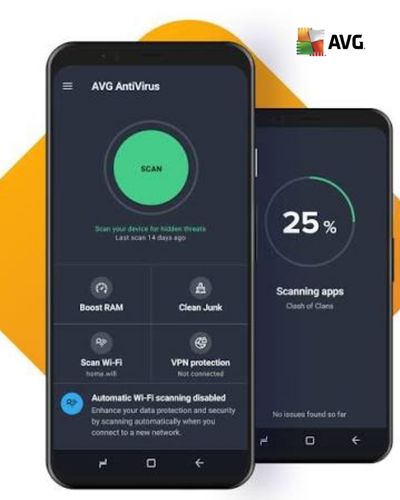
AVG Secure VPN is designed to encrypt an internet connection and provide additional privacy, particularly when using public or unsecured Wi-Fi networks. AVG states that the service is available for Windows, macOS, Android, and iOS.
Public Wi-Fi is common in places such as cafés, airports, hotels, libraries, and other shared environments. When connecting to these networks, it is sensible to be careful about the information you send and the websites you access. A VPN can add an additional layer of protection to the connection.
Privacy also involves understanding tracking. AVG AntiTrack is designed to help reduce online tracking and fingerprinting by obscuring aspects of a user’s digital identity. Its features include anti-fingerprinting, fingerprint randomization, and browser cleanup tools.
You can also strengthen privacy through everyday browser habits. Review website permissions, remove unnecessary browser extensions, manage cookies and browsing data, and avoid giving applications access to information they do not need.
These habits do not require advanced technical knowledge. They simply make privacy a regular part of using the internet.
Keep Your Devices Organized and Running Smoothly
Digital security and device performance often go hand in hand with good maintenance. Over time, computers can accumulate temporary files, unnecessary programs, browser data, and other digital clutter.
AVG TuneUp is designed around cleaning unnecessary files, addressing certain device issues, and helping users manage programs that may run in the background.
Instead of waiting until your device becomes difficult to manage, consider creating a simple monthly maintenance routine. Start by reviewing applications you no longer use. Remove unnecessary downloads and organize important files into clearly named folders.
Browser maintenance can also help keep your digital environment organized. Review saved information, remove extensions you no longer need, and clear unnecessary browsing data according to your preferences.
Storage management is particularly important if your computer frequently reaches low-disk-space warnings. Large videos, duplicate downloads, old installers, and unused applications can gradually consume available space.
A digital cleanup routine can also make it easier to find important documents. Creating separate folders for work, education, personal files, photos, and financial documents can reduce clutter and save time.
AVG’s performance tools are designed to support this type of maintenance, while the broader AVG product range combines security and performance features. The goal should not be to constantly optimize every part of your device, but to develop a few simple habits that keep it manageable.
Be More Careful With Emails, Links, and Downloads
Many online security problems begin with an ordinary-looking message, link, or attachment. Phishing attempts can imitate banks, shopping platforms, delivery services, social networks, or even people you know.
A useful habit is to pause before clicking. If an email claims that your account will be closed unless you act immediately, do not automatically follow its instructions. Instead, open the official website or application separately and check whether there is actually a problem.
The same approach applies to unexpected downloads. Avoid installing software from unfamiliar sources simply because a pop-up claims that your device has a problem. Instead, use trusted sources and check the software publisher.
AVG’s security products include features intended to help identify unsafe links, downloads, email attachments, phishing attempts, and other online threats. AVG Internet Security also includes protections against ransomware and unauthorized webcam access.
Still, technology cannot replace careful decision-making. Even when security software is installed, users should remain cautious about messages that create unnecessary urgency or request passwords, payment information, or other sensitive details.
A good rule is to verify first and click second. Taking a few extra seconds can prevent many avoidable mistakes.
Create a Security Routine for Multiple Devices
Many people now use several connected devices every day. A laptop may be used for work, a smartphone for communication and banking, and a tablet for entertainment. Protecting only one device may therefore leave other parts of your digital routine overlooked.
AVG offers products across Windows, macOS, Android, and iOS, with availability depending on the specific product. AVG Ultimate, for example, combines Internet Security, TuneUp, Secure VPN, and AntiTrack, with its multi-device subscription supporting up to 10 devices simultaneously.
A useful starting point is to make a list of the devices you regularly use. Check whether each device has current operating-system updates, appropriate security settings, and a screen lock or password.
For smartphones, review application permissions regularly. An application that does not need access to your microphone, camera, contacts, or location should not automatically receive those permissions.
For computers, review installed applications and browser extensions. Also consider enabling multi-factor authentication on important accounts whenever it is available.
Backups are another valuable part of a digital routine. Important documents and photographs should not exist only on one device. Maintaining an appropriate backup can provide an additional layer of protection against hardware failure, accidental deletion, or other unexpected problems.
The more devices you use, the more helpful a simple checklist becomes. A monthly security review can take only a short amount of time but can help you notice outdated software, unused applications, or forgotten settings.
Make Digital Security a Long-Term Habit
The strongest digital routine is one that you can actually maintain. You do not need to change every setting on every device at once. Instead, build your habits gradually.
Start with basic antivirus protection and regular software updates. Then review your passwords and account security. Add privacy-conscious browsing habits, be careful with suspicious messages, and periodically clean up your devices.
If you use public Wi-Fi regularly, consider whether a VPN fits your needs. If online tracking is a concern, review privacy settings and explore appropriate anti-tracking tools. If your computer frequently runs out of storage, create a regular cleanup schedule.
AVG brings several of these areas together through its security, privacy, and performance products. Its current product range includes antivirus protection, Internet Security, Secure VPN, TuneUp, AntiTrack, BreachGuard, Secure Browser, and other tools designed for different digital needs.
The important thing is to choose tools according to your own usage rather than installing every available feature without understanding its purpose. Someone who mainly uses a laptop for studying may have different priorities from someone who works online, travels frequently, or manages several devices.
Digital security is an ongoing process rather than a one-time task. Threats and technology change, applications receive updates, and our own online habits evolve over time. By combining appropriate security software with careful browsing, regular updates, privacy awareness, and basic device maintenance, you can create a more organized approach to your digital life.
A few consistent habits can make a meaningful difference. Protect your devices, think carefully before clicking, manage your privacy, keep your software updated, and review your digital setup regularly. With these practices in place, technology can remain a useful part of everyday life without requiring security to become complicated.
