
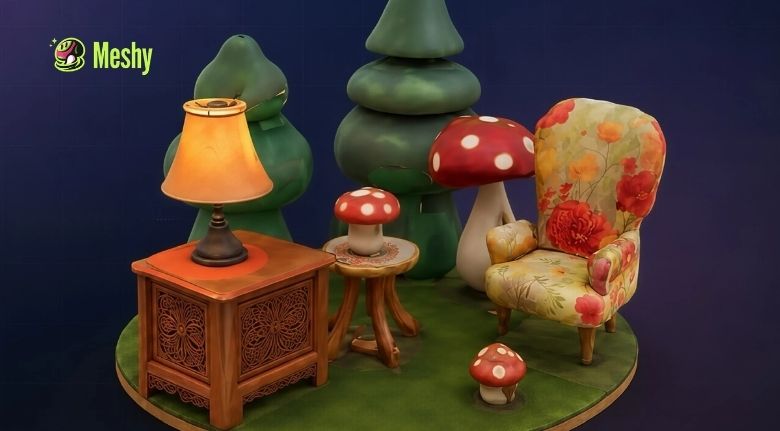
Creating a 3D model has traditionally required patience, technical knowledge, specialized software, and plenty of practice. Designers and artists often need to understand modeling, topology, texturing, lighting, rendering, and other parts of the 3D workflow before they can turn an idea into a finished digital asset. While these skills remain valuable, artificial intelligence is making the creative process faster and more accessible.
AI-powered 3D tools allow creators to begin with something much simpler: an idea. Instead of building every object manually from scratch, users can describe what they want, provide a reference image, or experiment with different concepts before turning them into editable 3D assets. This approach can help beginners explore 3D creation while allowing experienced artists to accelerate early stages of their workflow.
Meshy is an AI-powered 3D creation platform that supports workflows ranging from text and image generation to texturing, animation, 3D printing, and exporting assets for creative software. Its tools are designed for artists, game developers, product designers, hobbyists, educators, and other creators who want to bring ideas into three dimensions more efficiently.
Turn Simple Ideas into 3D Concepts
One of the biggest advantages of AI-assisted creation is the ability to start with an idea instead of a complicated technical process. A creator may have a concept for a fantasy character, product prototype, game prop, miniature, vehicle, building, or decorative object without knowing exactly how to model it manually.
Text-to-3D tools make it possible to describe an object in natural language and generate a textured model from that description. This can be particularly useful during brainstorming because creators can test different ideas without spending hours modeling each version individually.
For example, a game designer could describe a futuristic energy weapon, an artist could experiment with a fantasy creature, or a product designer could explore an early concept for a household object. The first generated model does not necessarily need to be the final result. Instead, it can become a starting point for further experimentation and refinement.
Meshy’s Text to 3D workflow is designed for rapid concept exploration and can generate textured models from written prompts. More detailed prompts that describe shape, material, style, and proportions can help guide the result.
This approach changes the role of the creator. Instead of spending the earliest stage of a project focused entirely on technical construction, creators can concentrate more on ideas, visual direction, and experimentation.
The technology does not eliminate creative skill. Rather, it gives creators another way to transform their imagination into something tangible that can be reviewed, modified, and developed.
Transform Images and Sketches into 3D Models
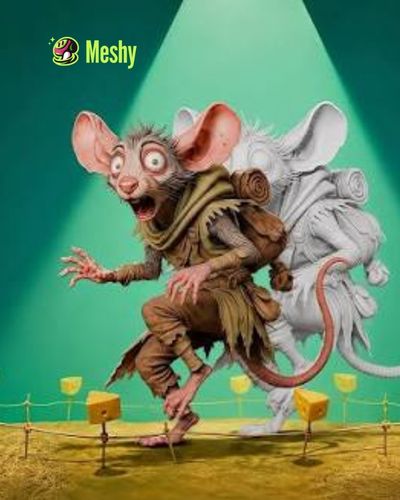
Not every creative idea begins with words. Many projects start with a photograph, concept drawing, product image, character illustration, or rough sketch. In these situations, image-to-3D workflows can provide a more direct path from a two-dimensional reference to a three-dimensional asset.
With image-to-3D technology, creators can upload an image and allow AI to interpret the object’s shape, structure, and visual characteristics. The resulting model can then be used as a starting point for further design work, texturing, animation, visualization, or printing.
This can be especially useful for creators who are stronger at drawing or visual design than traditional 3D modeling. A concept artist, for instance, can develop an illustration first and then explore how that concept might look as a 3D object.
Meshy’s Image to 3D feature supports photos, sketches, and concept art. The platform can reconstruct these references as textured 3D models, while multi-view workflows can provide additional visual information for more accurate reconstruction.
Image-based workflows can also help when visual consistency matters. If a creator already knows what the object should look like, providing a reference image gives the AI more information than a short text description alone.
This makes it easier to move from an established visual concept toward a usable 3D asset. Creators can then inspect the model, make refinements, adjust textures, and prepare it for the next stage of their project.
Improve Models with AI Texturing and Detail
Generating the basic shape of a model is only one part of 3D creation. Surface appearance can have a major impact on how realistic, stylized, or visually interesting an object looks.
Textures can represent materials such as wood, metal, stone, fabric, leather, plastic, painted surfaces, or fantasy materials. Traditionally, creating detailed textures can require additional artistic skills and considerable time.
AI texturing provides another approach. Instead of manually creating every surface detail, creators can describe the appearance they want and allow AI to generate textures that match the model.
Meshy includes AI-powered texturing that can generate customized surface details from text or image prompts. Its workflow also supports PBR maps, which can help create more realistic material responses in compatible 3D environments.
This can be useful for both professional and experimental projects. A game developer may need several variations of a prop, while a 3D printing hobbyist might want a particular visual finish for a model. A product designer could experiment with different material concepts before deciding on a final direction.
Texture editing can also help creators improve an existing asset rather than starting again from the beginning. This makes the workflow more flexible and allows visual experimentation without completely rebuilding the model.
The combination of AI-generated geometry and AI-generated textures can significantly reduce the amount of repetitive work involved in creating early 3D concepts.
Bring Characters and Creatures to Life
Static models are useful for visualization, but animation adds another level of creative possibility. Characters, creatures, and other moving assets can become part of games, films, virtual experiences, advertisements, educational content, and interactive projects.
Animation has traditionally required knowledge of rigging, posing, keyframes, and movement. AI-assisted animation tools can simplify some of these steps and make it easier for creators to experiment with movement.
Meshy provides animation and auto-rigging features that can help prepare characters and quadruped models for motion. Its current platform includes a library of motion presets, while custom pose and animation workflows give creators additional control over how models are prepared for movement.
For beginners, this can make character experimentation less intimidating. Instead of learning every technical stage of rigging before seeing a character move, creators can begin with a model and explore different animation possibilities.
For experienced artists, automated rigging can reduce repetitive preparation work. This can be particularly valuable when a project includes multiple characters or requires rapid prototyping.
Animation can also make AI-generated assets more useful beyond static images. A model can become part of an interactive scene, a game prototype, a short animation, or a virtual environment.
As AI continues to develop, the connection between modeling, texturing, rigging, and animation is becoming increasingly integrated. Creators can move through more stages of the process without constantly switching between unrelated tools.
Prepare Models for Games, Design, and 3D Printing
A 3D model is most useful when it can actually be integrated into a project. Different creators have different requirements, so flexibility in exporting and optimization is important.
Game developers may need models that work with engines such as Unity or Unreal. Designers may want assets for visualization or product presentations. Hobbyists may need files that can be prepared for 3D printing. Artists may prefer to continue refining their work in dedicated 3D software.
Meshy supports multiple export formats, including FBX, OBJ, GLB, USDZ, STL, BLEND, 3MF, and DXF, depending on the workflow. Its platform also includes tools for optimizing models and preparing assets for different applications.
For 3D printing, AI-generated models can move through additional preparation steps before being sent to a slicer. Meshy’s current tools include features such as automatic splitting, adding bases, and printability checks.
This makes AI-generated 3D assets more practical because creators can move beyond simply viewing a model on a screen. A digital concept can potentially become a physical miniature, prototype, decorative object, or customized creation.
For game development, optimized topology is also important. Real-time applications often require models that balance visual quality with performance. Tools such as smart topology and low-poly generation can help creators work toward assets that are better suited to interactive environments.
The ideal workflow still depends on the final purpose of the model. A high-detail asset for visualization may have very different requirements from a lightweight model intended for a real-time game.
Build a Faster and More Creative 3D Workflow
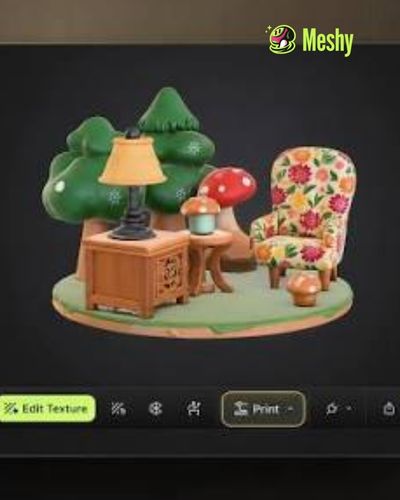
The biggest impact of AI in 3D creation may not be a single feature but the way different tools can work together. A creator can begin with a rough idea, develop a reference image, generate a 3D model, improve its textures, prepare it for animation, and export it into another workflow.
Meshy brings many of these stages together in a single ecosystem. Its platform includes tools for image generation, text-to-3D, image-to-3D, AI texturing, animation, 3D printing, scene creation, video generation, and integrations for creative pipelines.
This can be particularly valuable for experimentation. Instead of spending days developing one concept before discovering that it does not work, creators can produce multiple versions and compare them much earlier.
Students can use AI 3D tools to understand modeling concepts through practical experimentation. Independent artists can develop ideas without needing an extensive technical setup. Game developers can prototype assets faster. Product designers can visualize early concepts. Makers can explore potential objects for physical production.
At the same time, creators should understand that AI-generated models may still require inspection and refinement. Geometry, proportions, textures, topology, and other technical details should be checked according to the requirements of the final project.
AI is therefore best viewed as a creative accelerator rather than a complete replacement for artistic judgment. The strongest results come from combining good prompts, references, iteration, technical knowledge, and human decision-making.
As 3D creation continues to evolve, tools like Meshy are making the medium more accessible to people who may previously have considered 3D modeling too complicated. The ability to begin with a sentence, image, or sketch lowers the barrier to experimentation and opens new possibilities for creators across different industries.
Whether the goal is designing a game asset, developing a product concept, creating a printable miniature, experimenting with animation, or simply exploring a creative idea, AI can shorten the distance between imagination and a usable 3D result.
The future of 3D creation is likely to involve a closer relationship between human creativity and intelligent tools. Instead of replacing the creator, AI can handle more of the repetitive technical work while people focus on ideas, storytelling, design, and refinement. That shift could make 3D creation faster, more flexible, and accessible to a much wider creative community.
Turn your concepts, images, and creative ideas into impressive 3D assets with AI-powered tools built for modern creators.
