

A computer can feel noticeably different after years of everyday use. Applications accumulate, temporary files take up storage, unnecessary programs run in the background, and startup times can gradually become longer. Even when the hardware is still perfectly capable, poor digital maintenance can make a PC feel slower than it should.
That is where regular PC optimization becomes useful. iolo develops Windows-focused tools designed to help users clean up unnecessary files, improve system performance, manage privacy, and strengthen certain aspects of PC security. Its System Mechanic software combines several maintenance features in one platform, including performance optimization, junk-file cleanup, startup management, privacy tools, and security-related functions.
Start by Understanding What Is Slowing Your PC Down
A slow computer does not always mean that the hardware needs to be replaced. In many cases, everyday software activity can contribute to reduced responsiveness. Programs that launch automatically, unnecessary background processes, temporary files, browser clutter, and limited available memory can all affect the overall experience.
Before making major changes, it is useful to identify the actual source of the problem. Notice whether the computer is slow during startup, when opening applications, while browsing the internet, or when running demanding programs. Different problems can require different solutions.
iolo’s System Mechanic is designed to scan Windows PCs for performance issues and automate certain maintenance tasks. Its Smart ActiveCare feature can detect and repair issues while the computer is idle, helping users maintain their systems without having to manually run every maintenance process.
Understanding the cause of a slowdown is still important. Optimization software should complement sensible computer habits rather than replace them. Keeping Windows updated, removing applications that are no longer needed, and maintaining adequate storage can also contribute to a healthier PC.

Clean Up Digital Clutter Regularly
Over time, computers can accumulate temporary files, browser data, unnecessary downloads, and other forms of digital clutter. Individually, these files may appear insignificant, but a large amount of unnecessary data can consume valuable storage and make managing a computer more difficult.
System Mechanic includes PC Cleanup features designed to remove more than 50 types of hidden junk files. The software also provides tools for clearing browser cookies and browsing history, helping users manage unnecessary data stored during everyday online activity.
A regular cleanup routine can make it easier to understand what is actually occupying storage space. Instead of waiting until the hard drive is almost full, users can periodically review large files, unused applications, temporary data, and other unnecessary content.
However, cleaning should always be approached carefully. Important documents, photographs, project files, and other personal data should be backed up before major maintenance activities. A clean computer is useful, but protecting important information should always come first.
Improve Startup and Everyday Performance
One of the most frustrating signs of an aging PC is a long startup process. A computer may take several minutes to become responsive because numerous applications are configured to launch automatically. Some of these programs may be useful, while others may rarely be needed.
System Mechanic includes tools for identifying unnecessary startup programs and reducing the number of applications competing for resources when Windows begins. iolo says its software can remove bloatware and improve startup performance by preventing unwanted programs from launching automatically.
This can be particularly helpful for people who use their computers for work, study, gaming, or creative projects. Faster access to the desktop means less time waiting before getting started.
Performance optimization can also involve memory and processing resources. System Mechanic’s LiveBoost technology is designed to increase the availability of CPU, RAM, and hard-drive resources when users need additional responsiveness for activities such as gaming, editing, or streaming.
The goal should not be maximum performance at all times. Instead, the objective is to make resources available where they are most useful.
Pay Attention to Online Privacy
Performance is only one part of maintaining a modern PC. Privacy also deserves attention because browsers and applications can store information about online activity, preferences, and personal behavior.
Clearing unnecessary browser information can be part of a broader privacy routine. System Mechanic includes features designed to remove browsing history and cookies, while higher-tier offerings include additional privacy-focused tools.
iolo has also introduced privacy features designed to give users more control over information accessed by Windows and third-party applications. Privacy Guardian, for example, can help manage permissions relating to information such as contacts, documents, pictures, notifications, emails, and other personal data.
Privacy settings should be reviewed according to individual needs. Some applications genuinely require access to certain information to function correctly, so disabling every permission is not always practical. The better approach is to understand what an application needs and allow only appropriate access.
Strong passwords, multi-factor authentication where available, software updates, and careful handling of suspicious messages should also remain part of a complete privacy and security strategy.
Protect Important Files Before Problems Occur
Computer maintenance is often focused on preventing slowdowns, but protecting personal files is equally important. Hardware failures, accidental deletion, software problems, and other unexpected events can result in lost documents, photographs, or work.
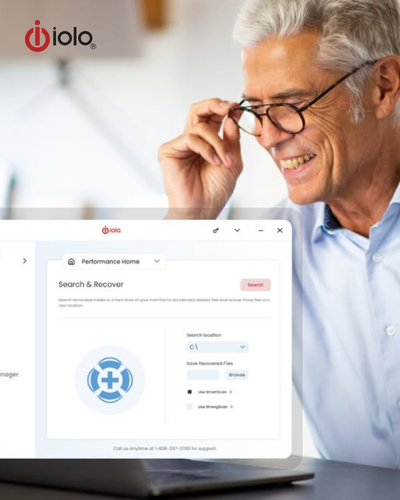
For this reason, backups should be part of regular PC maintenance. iolo introduced a Backup & Restore feature in System Mechanic 24 for Pro and Ultimate Defense users, allowing important files to be copied and restored when necessary. The feature is compatible with 64-bit versions of Windows.
A backup strategy should ideally involve more than keeping one copy of a file in the same location as the original. Important information is safer when additional copies are maintained separately.
Think about which files would be difficult or impossible to replace. Family photographs, business documents, educational projects, financial records, and creative work may deserve priority.
Regular backups also make computer upgrades and troubleshooting less stressful. If something goes wrong, having a recent copy of important data can be far more valuable than attempting to recover files after the problem occurs.
Build a Simple PC Maintenance Routine
The most effective way to maintain a computer is to make maintenance part of a regular routine rather than waiting until something goes wrong. A simple schedule can include reviewing installed applications, checking available storage, managing startup programs, installing important Windows updates, and backing up valuable files.
For users who prefer automation, iolo’s System Mechanic includes automated maintenance features. Its ActiveCare technology is designed to perform certain optimization and cleanup tasks while the PC is idle, reducing the need for constant manual intervention.
It is still worth checking the computer manually from time to time. Automated tools cannot replace common sense. If an unfamiliar program appears, an important file disappears, or the PC suddenly behaves differently, investigate the situation instead of assuming that an optimization tool will solve everything.
Users should also consider the age and hardware configuration of their computer. Software optimization can help address certain performance issues, but it cannot turn outdated hardware into a modern high-performance machine. If a computer consistently struggles with applications that exceed its hardware capabilities, upgrading components or replacing the device may eventually be the more practical solution.
The biggest advantage of a structured maintenance routine is consistency. A few minutes spent managing the system regularly can be easier than dealing with a severely cluttered or unstable computer later.
For Windows users looking to simplify PC maintenance, iolo provides a collection of tools focused on performance, cleanup, privacy, and security. System Mechanic can automatically scan for certain performance problems, remove digital clutter, manage startup programs, optimize system resources, and provide additional privacy and security features depending on the product edition.
Ultimately, keeping a PC healthy is not about constantly changing settings or installing every available optimization tool. It is about creating sensible habits and using technology where it genuinely adds value. Regular cleanup, careful software management, appropriate privacy settings, reliable backups, and responsible security practices can all contribute to a better computing experience.
iolo can be part of that routine for Windows users who want a more centralized approach to PC maintenance. By combining automated care with good everyday habits, users can spend less time dealing with unnecessary clutter and more time using their computers for the things that actually matter.
