
Running a business involves much more than selling products or providing services. Every day, teams collect customer details, process enquiries, schedule appointments, receive payments, manage applications and organise important documents. When these tasks are handled through emails, spreadsheets and paper documents, small administrative jobs can quickly become time-consuming.
Jotform offers a practical way to bring many of these processes into one digital workflow. Its online form builder allows businesses to create customised forms without coding, while integrations and automation tools can help move information to the right place after a submission. With thousands of templates available, businesses can also start with an existing structure instead of building every form from scratch.
Turn Repetitive Tasks Into Simple Digital Processes
Many businesses still rely on manual processes for routine information collection. A customer may send an email asking for a quotation, another person may submit an enquiry through social media, while an employee could maintain a separate spreadsheet for appointments. Managing all these channels can make it difficult to keep information organised.
Jotform can turn these repetitive tasks into structured online forms. Instead of asking customers to explain everything through email, a business can create a form that collects the exact information required. Contact details, preferences, documents, dates and other relevant information can all be gathered in a consistent format.
This approach can save time for both businesses and customers. Employees spend less time requesting missing information, while customers receive a clearer way to provide their details. Conditional logic can also display or hide questions depending on previous answers, helping create a more relevant experience for each person.
For small businesses with limited staff, this can make a particularly noticeable difference. Reducing repetitive administrative work gives teams more time to focus on customers, sales, service quality and business growth.

Create Professional Forms Without Hiring a Developer
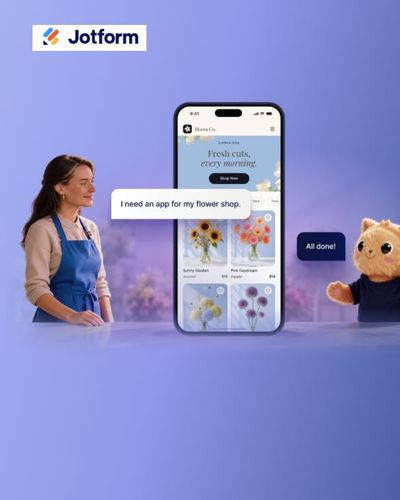
One of the biggest challenges for smaller businesses is creating digital tools without a large technical team. Hiring a developer for every minor change can become expensive and inconvenient, especially when a form needs to be updated frequently.
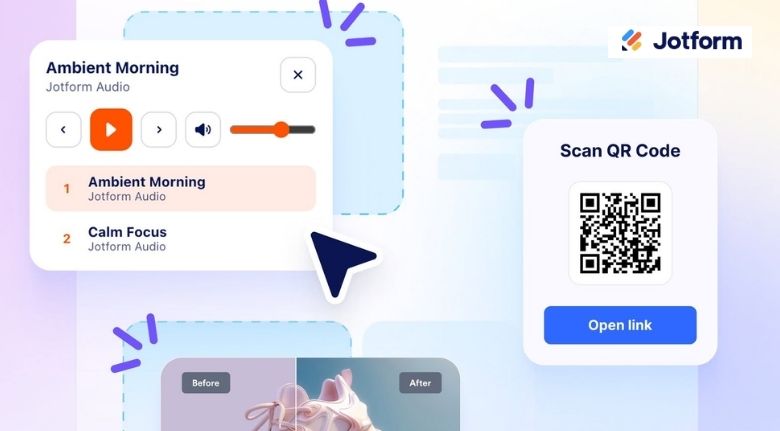
Jotform uses a drag-and-drop Form Builder, allowing users to add fields, rearrange sections and customise the appearance without writing code. Businesses can change fonts, colours, layouts, images and branding elements to create forms that look consistent with their organisation.
There are also more than 20,000 ready-made templates covering different purposes. A business organising an event, collecting customer feedback, accepting applications or taking orders can start with a suitable template and adapt it to its own requirements.
This flexibility is useful because business needs change over time. A company might begin with a simple contact form and later introduce registration forms, feedback surveys, order forms or appointment requests. Having a platform that can handle different requirements makes it easier to build a connected digital system.
Improve Customer Experiences With Smarter Forms
A form should not feel like unnecessary paperwork transferred to a screen. If customers are presented with too many irrelevant questions, they may abandon the process before completing it. Good form design should make information collection feel straightforward.
Jotform provides features that can make forms more interactive. Conditional logic can determine which questions appear based on a person’s answers, while conversational forms can present questions in a more engaging format. Users can also save their progress and return later when a form requires more information.
Businesses can also customise thank-you pages and redirect users after submission. This creates an opportunity to guide customers toward the next step, such as booking an appointment, viewing another service or contacting the team.
For organisations serving customers in different regions, form translation can also make information collection more accessible. Providing forms in a user’s preferred language can reduce confusion and create a more welcoming experience.
These small improvements can make a difference in situations where customers are already busy. Whether someone is requesting a quote, registering for an event or completing an application, a clear digital process can make the interaction feel considerably easier.
Connect Forms With Payments and Other Business Tools
Collecting information is only one part of the process. Once a customer submits a form, the information often needs to move somewhere else. If employees have to copy every response manually into another system, much of the benefit of going digital disappears.
Jotform supports integrations with a wide range of business tools, allowing form submissions to connect with other platforms and workflows. This can help reduce manual data entry and keep information moving between the tools a business already uses.
Payment collection is another useful application. Businesses can create forms that accept payments for products, services, subscriptions, registrations or donations through supported payment gateways. Jotform currently supports more than 40 payment gateway integrations.
For example, a fitness studio could use one form to collect membership information and payment. An event organiser could collect registration details and fees through the same process. A consultant could create an enquiry form that gathers project requirements before taking an initial payment.
This creates a smoother workflow because customers can complete several necessary steps without moving between multiple systems.
Manage Documents, Signatures and Submissions More Efficiently
Business paperwork does not disappear simply because a company moves online. Contracts, applications, consent documents, invoices and other records still need to be collected and organised.
Jotform includes tools for file uploads, electronic signatures and PDF generation. Customers can upload documents directly through forms, while businesses can collect signatures for agreements and other documents. Form submissions can also be converted into PDFs for recordkeeping and sharing.
The platform also provides tools for managing submitted information. Jotform Tables can organise submissions in a spreadsheet-style environment, while Jotform Inbox can help teams manage incoming responses. Businesses can export submission data in formats such as CSV, Excel and PDF when they need to analyse or share information elsewhere.
This can be especially useful for teams that handle large numbers of applications or enquiries. Instead of searching through different email threads and attachments, employees can work from a more structured collection of responses.
The result is not simply less paperwork. It can also create a clearer process for finding information, responding to customers and keeping business records organised.
Build a More Efficient Workflow as Your Business Grows
The most useful digital tools are those that continue to provide value as a business becomes more complex. A company may initially need only a contact form, but its requirements can expand as the customer base grows.
Jotform can support different stages of that development through forms, payments, integrations, mobile tools, e-signatures and workflow features. Its mobile capabilities also allow teams to access and manage forms away from a desktop, while offline form collection can help when an internet connection is unavailable.
Businesses can start small rather than trying to digitise everything at once. A good first step might be replacing a frequently used paper document with an online form. Once that process works smoothly, the same approach can be applied to customer enquiries, registrations, bookings, feedback or internal requests.
The key is to identify where employees spend the most time on repetitive administrative work and look for opportunities to simplify those steps. A well-designed form can become more than a data-collection tool; it can become the starting point for an entire workflow.
For growing businesses, that difference matters. When information is collected consistently, automatically routed and easier to manage, teams can spend less time dealing with administrative friction and more time doing meaningful work. Jotform provides the flexibility to build those processes without requiring advanced technical knowledge, making digital transformation more accessible to businesses of different sizes.
