
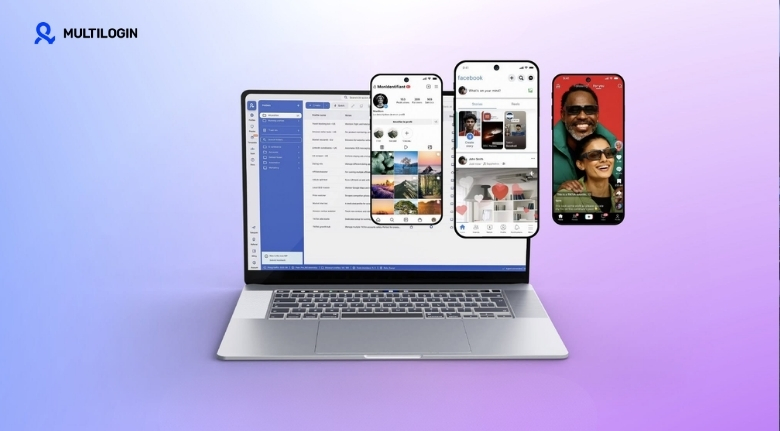
Managing several online projects can become complicated surprisingly quickly. Marketers, agencies, researchers, e-commerce professionals and other digital teams often work with multiple accounts, websites and browser sessions every day. Switching between profiles and keeping each workspace separate can take time and create unnecessary confusion.
Multilogin is a browser profile management platform designed to help users organize separate online environments from one interface. Its tools are aimed at people who need to manage multiple digital identities or browser profiles while keeping their workspaces separated.
The key to getting value from a browser profile management solution is not simply creating as many profiles as possible. It is about creating an organized system that makes everyday digital work easier to manage.
Whether you work independently or as part of a larger team, a structured approach can improve productivity and reduce mistakes.
Understand What Browser Profiles Actually Do
A browser profile creates a separate environment for browsing activity, including elements such as cookies, preferences and session information.
For someone managing multiple legitimate projects, separating these environments can make daily work more organized.
Multilogin provides tools for creating and managing browser profiles, allowing users to keep different workspaces separated rather than placing everything inside one standard browser session.
This can be particularly useful when you manage different clients or businesses.
Instead of repeatedly logging in and out of different accounts, you can organize each project into its own environment.
The main benefit is organization.
A clear structure makes it easier to understand which browser profile belongs to which project and reduces the possibility of accidentally working in the wrong account.
Create a Clear Naming System
When you only have a few profiles, naming may not seem important.
Once you have dozens of them, it becomes essential.
Create a naming convention that immediately tells you what each profile represents.
For example, you could use a combination of client name, project type and region.
Multilogin allows users to manage multiple browser profiles, so a consistent naming system can make large collections easier to navigate.
Avoid vague names such as “Profile 1” or “New Account.”
Instead, use meaningful labels that provide context.
A good naming system can save considerable time when you need to locate a specific workspace quickly.
It also helps teams understand profiles without having to open each one to discover its purpose.
Separate Projects From the Beginning
One of the simplest ways to stay organized is to create a dedicated environment for each project.
If you manage multiple businesses, consider keeping each business in its own profile structure.
Multilogin is designed around browser profile management, making separation a central part of its workflow.
This approach can help prevent accidental crossover between unrelated projects.
For example, if you are working on two different e-commerce brands, keeping their workflows separate can make it easier to maintain the correct accounts, bookmarks and sessions.
The exact structure will depend on your work.
The important point is consistency.
Once you establish a system, use the same approach for every new project.
Use Folders and Organizational Structures
A growing profile library can become difficult to manage without organization.
If your workflow involves many projects, group profiles logically.
You could organize them according to clients, departments, campaigns or business units.
Multilogin includes organizational tools that can help users manage browser profiles more efficiently.
Think of your profile library like a digital filing cabinet.
The easier it is to locate a specific profile, the less time you spend searching.
This becomes particularly important for agencies and teams where multiple people may need access to different workspaces.
A simple organizational structure can turn a complicated collection into a manageable system.
Keep Access Responsibilities Clear
Team-based digital work requires clear responsibilities.
Not everyone needs access to every project.
If multiple people use browser profiles, establish rules around who can access, edit or manage particular environments.
Multilogin provides team-oriented functionality for managing browser profiles and collaboration.
Before inviting team members, decide which profiles each person actually needs.
Limiting unnecessary access can make the workspace easier to manage and reduce accidental changes.
It also creates clearer accountability.
When everyone knows which projects they are responsible for, collaboration becomes more efficient.
Document Your Workflow
Technology works best when it is supported by a clear process.
Create internal guidelines explaining how profiles should be created, named, organized and used.
For example, you might define a standard naming structure and a checklist for creating new project environments.
Multilogin can become part of this workflow, but the process itself should remain easy for your team to understand.
Documentation is especially valuable when new employees join.
Instead of explaining the same process repeatedly, you can provide a short guide.
Good documentation also reduces inconsistency.
When everyone follows the same rules, your profile library remains organized as it grows.
Avoid Creating Unnecessary Profiles
More profiles do not automatically mean better organization.
Creating unnecessary environments can make your workspace harder to manage.
Before creating a new profile, ask whether there is a genuine reason for keeping the activity separate.
Multilogin makes it possible to manage many browser profiles, but responsible organization means creating only the environments that serve a clear purpose.
If several profiles are no longer needed, review them periodically.
Archive or remove obsolete workspaces according to your organization’s retention policies.
A smaller, well-organized collection is often easier to manage than a huge collection containing outdated profiles.
Protect Sensitive Information
Digital workspace management should always include security considerations.
Browser profiles may contain session information, cookies, saved preferences and other potentially sensitive data.
Treat every profile as an important digital workspace.
Multilogin provides features intended to support separated browser environments, but users should still follow strong security practices.
Use strong passwords and appropriate authentication methods for important accounts.
Do not share credentials casually.
Also ensure that employees understand how to handle confidential client information.
Technology can help create separation, but security ultimately depends on both tools and user behaviour.
Create Different Workspaces for Different Roles
A marketing agency may manage several clients.
An e-commerce company may operate multiple brands.
A research team may need different environments for different projects.
Instead of allowing everything to exist in one browser, consider creating clearly separated workspaces.
Multilogin’s profile-based approach can support this type of organization.
Each environment can be associated with a specific purpose.
For example, one profile could be dedicated to a client’s analytics work while another is used for managing that client’s content platforms.
This separation can make workflows easier to understand.
It can also reduce the chance of accidentally performing an action in the wrong environment.
Review Your Profile Library Regularly
Digital projects change over time.
Clients leave, campaigns end and employees change responsibilities.
Your browser profile library should evolve along with those changes.
Schedule a regular review of your Multilogin workspace.
Identify profiles that are active, inactive or no longer required.
Update names and organizational structures when necessary.
If a project changes ownership, make sure access permissions are reviewed as well.
Regular maintenance prevents your workspace from becoming cluttered.
Even a short monthly review can make a noticeable difference when managing a large number of profiles.
Train Your Team Properly
A profile management platform is only useful when people understand how to use it correctly.
Before giving employees access, provide basic training.
Explain how profiles should be created, named and organized.
Show team members how to identify the correct workspace before performing important actions.
Multilogin offers functionality designed for collaborative browser profile management, which can be especially useful for teams with multiple digital projects.
Training should also cover security.
Employees should understand that browser profiles are not substitutes for good password management or responsible account practices.
A short onboarding process can prevent many avoidable mistakes later.
Build a Repeatable Client Workflow
Agencies can benefit significantly from standardized processes.
For every new client, create the same basic workflow.
Start by creating the appropriate profile structure, naming each environment consistently and assigning access only to relevant team members.
Multilogin can become part of this repeatable process.
When every client follows the same structure, employees spend less time figuring out where information belongs.
It also makes it easier for managers to oversee multiple accounts.
A repeatable workflow creates consistency without requiring employees to reinvent the process for every project.
Keep Personal and Professional Activity Separate
Separating personal browsing from professional activity is useful for more than convenience.
It can help create clearer boundaries between different types of online work.
Multilogin’s browser profile approach allows users to maintain separate environments for different purposes.
For example, a professional workspace can be kept independent from personal browsing.
This can make it easier to focus during working hours and reduce accidental crossover.
For businesses, maintaining clear separation can also simplify account management when employees share responsibilities.
The objective is not complexity.
It is creating a workspace structure that makes your digital routine easier to understand.
Monitor Productivity, Not Just Profile Numbers
It can be tempting to measure your digital setup by the number of profiles you have.
That is not necessarily useful.
The real question is whether your system saves time and reduces mistakes.
Multilogin should ideally become part of a broader productivity strategy rather than an isolated tool.
Track how long routine account management tasks take.
Look for repetitive processes that could be standardized.
If employees spend too much time searching for profiles, improve your naming and folder structure.
If mistakes happen frequently, review your workflow and training.
The goal is a smoother working environment, not simply a larger collection of browser profiles.
Review Your Security Policies
As your organization grows, your security requirements may change.
Review who can access different profiles and whether former employees or contractors still have access.
Multilogin can support structured management of browser environments, but your broader security policy should cover passwords, authentication, devices and employee permissions as well.
Consider establishing clear rules for access requests.
A team member should receive access because they need it for their role, not simply because it is convenient.
Regular access reviews can help keep your digital workspace controlled and organized.
Security should be treated as an ongoing process rather than a one-time setup.
Make Your Digital Workflows Easier to Scale
A system that works for five profiles may not work for fifty.
As your business grows, organization becomes increasingly important.
Multilogin can help users manage multiple browser environments, but scalability depends on having a strong structure around the technology.
Use consistent naming, logical folders, clear responsibilities and regular maintenance.
Document your processes so new team members can follow them easily.
Review your setup as your projects evolve.
This creates a foundation that can grow with your business without becoming unnecessarily complicated.
Focus on Organization and Responsible Use
Managing multiple online projects does not have to be chaotic.
With clearly separated browser environments, consistent naming and sensible access controls, teams can create a more organized digital workspace.
Multilogin provides tools for browser profile management that can support professionals working with multiple legitimate projects and accounts.
The most effective approach is to combine technology with good processes.
Create only the profiles you need, organize them carefully, protect sensitive information and review the system regularly.
When these habits become part of your everyday workflow, managing multiple digital projects becomes easier and more predictable.
A well-structured browser environment is not simply about having more profiles. It is about creating a workspace where every project has a clear place, every team member understands their responsibilities, and everyday digital tasks can be completed with greater confidence and efficiency.
